Long Term Resource Record
Long-Term Record
Demand records can be set as long term. The Long-Term Planning option enables high-level, long-term modelling on longer time horizons while maintaining high system performance. It maintains high performance by bypassing daily inventory projections and passing forecasted and BOM demand values to the replenishment schedule for downstream analysis. It turns off unnecessary inventory strategy functionality. This option is availale on:
- Resource Records
-
Demand Records
-
BOM Part
- Schedule Roll Up
- Time Series Forecast
To configure a Long-Term record
- From a record, mark the checkbox.
Long-Term Record Option
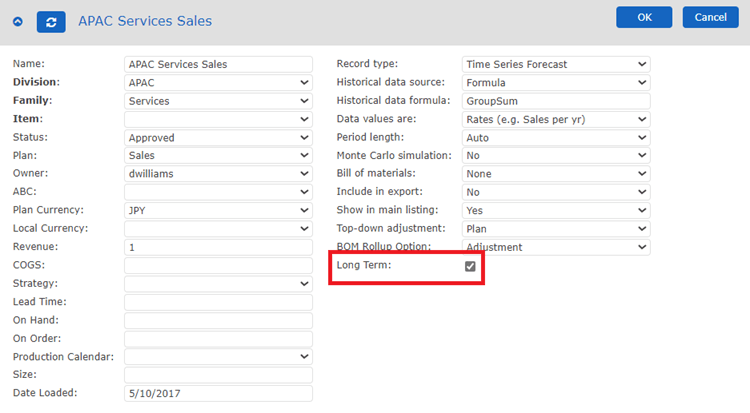
When the long-term option is checked:
-
the following sections are removed and not considered in calculations:
- For Resource Records
- Production calendar
- Changeover time
- Optimize capacity
- Maximum order pull forward
- Maximum order push back
- The daily production order schedule
- For Demand Records
- Inventory projection graph
- Inventory strategy panel
- In the Bill of Materials and Resources table of a demand record, the values in the Transport, Lead Time, and Production columns are ignored by the corresponding resource record and can be left blank.
- In the Projected Orders table, all the strategy calculations are skipped, and the forecasted demand values are mapped to orders, with arrival date as the last day of the corresponding period and order date equals to arrival date – lead time of the resource to which we are ordering.
To see all records with the Long Term option, type params.LT for the Custom property on the ABC Classifier Update property menu.