Table Record
A Table record is a simple data table. Table records can contain some or all of the following sections:
- Bill of Materials section
See BOM Part Record in Classic Mode. - Table section
To configure a Table record
- In the Record Type screen, click Table and click OK.
- In the Table section, click Upload.
Table Record
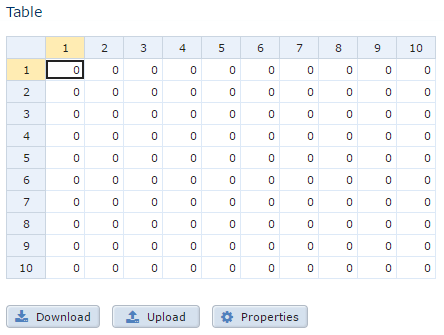 3. In the Upload screen, paste tab-delimited text in a data table from a spreadsheet program and click OK.
4. To specify the number of columns and rows in the table, click Properties.
5. To download the table to an .xls file, click Download.
6. In the upper-right of the screen, click OK.
7. To save your changes to the database, on the menu, click Save All Changes.
3. In the Upload screen, paste tab-delimited text in a data table from a spreadsheet program and click OK.
4. To specify the number of columns and rows in the table, click Properties.
5. To download the table to an .xls file, click Download.
6. In the upper-right of the screen, click OK.
7. To save your changes to the database, on the menu, click Save All Changes.