Add Time Periods to the Adjustments and Overrides Table
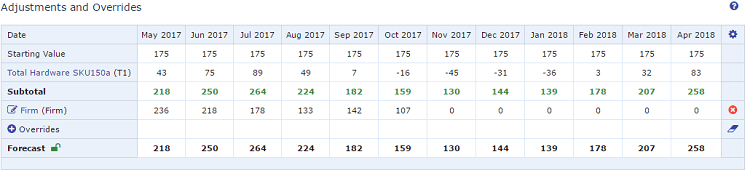
You can increase the number of periods that display in the Adjustments and Overrides table.
Adjustments and Overrides Table
To add time periods
- In the upper right of the Adjustments and Overrides table of a record, click the gear icon (
 ).
).
See About the Record View. 2. In the Table Properties screen, type the total number of periods to include and click OK.
If there are more columns than the screen can fit, a scroll bar displays so you can scroll back and forth. The same is true for rows - if there are more rows than the screen can fit, a scroll bar displays so you can scroll up and down without losing your heading row.
See Adjustments and Overrides Section. 3. Save the record.