Add Price Adjustments to Records
You can manually add price adjustments for forecasting purposes in a way that is similar to Data Entry records.
See Data Entry Record.
Using price adjustments rather than price records improves system speed. This functionality also maintains accurate historical reporting while letting you make future changes. This is not forecasting; it is data entry, time-based functionality.
To add a price adjustment
- In a forecast record, in the Adjustments and Overrides table, at the beginning of the Overrides row,
click the Add Adjustment icon (
 ).
).
Adjustments and Overrides Table
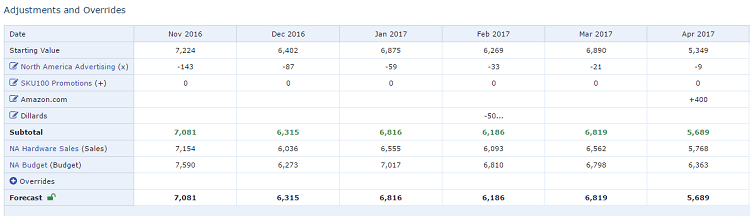
See Open and View Records. 2. In the Adjustment screen from the Adjustment Type list, click Supplementary Data.
Adjustment Screen
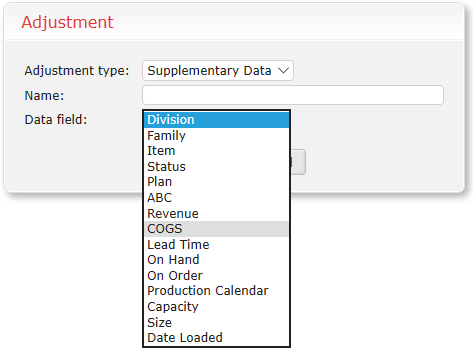 3. Type a Name to identify your adjustment in the Adjustments and Overrides table.
4. In the Data Field list, select the corresponding price or COGS field.
5. Click OK.
6. In the Supplementary Data row you created, type the price values you want to add.
3. Type a Name to identify your adjustment in the Adjustments and Overrides table.
4. In the Data Field list, select the corresponding price or COGS field.
5. Click OK.
6. In the Supplementary Data row you created, type the price values you want to add.
These values do not act as adjustments; they simply display in the table. You can have different values per period. 7. Save your changes.