Clear an Override in the Adjustments and Overrides Table
You can remove an adjustment or override from the Adjustments and Overrides table.
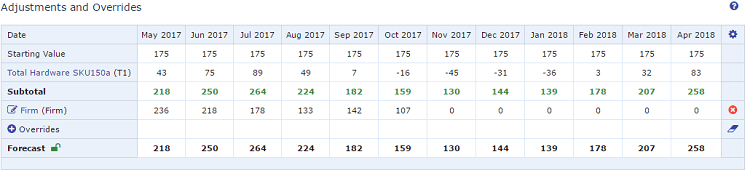
Adjustments and Overrides Table
To clear an override
- In the Adjustments and Overrides table, at the end of the row you want to clear, click the Clear All
Overrides (aka Eraser) icon (
 ).
).
On the first click, past overrides are cleared, but not future overrides. Click again to clear all overrides in the past and future.
See About the Record View. 2. Save the record.