Lock and Unlock Forecast Values
You may want to lock forecast values when you have approved a forecast so that any changes you make to do not affect totals in reports. When a forecast is locked, users can still make changes to the Adjustments and Overrides table for use in the next reporting cycle, but the final forecast numbers are not modified.
You can unlock the forecast when you are ready to move to the next reporting cycle.
Adjustments and Overrides Table
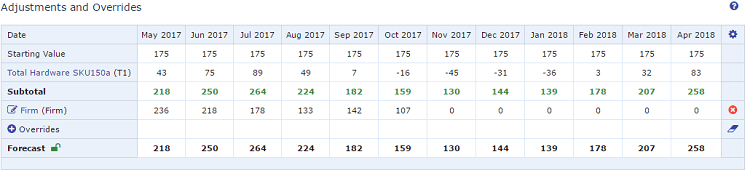
To lock or unlock forecast values
-
In the Adjustments and Overrides table, do one of the following:
-
Lock
In the Forecast row, click the Lock icon (
 ).
).This locks the resulting forecast values in their current state. You can apply further adjustments and overrides without changing the resulting forecast.
While the lock is applied, a Lock Adjustment row displays. Any adjustments or overrides you made after applying the lock are reflected in the Lock Adjustment row only. - Unlock
To unlock the forecast values and apply all adjustments and overrides, click the Lock icon (
).
See About the Record View. 2. Save the record.