Mapping Classic Interface - New Interface
The modernization of the CCH Tagetik Supply Chain Planning module involved a complete rewrite of the original module to be aligned with the User Experience of the other CCH Tagetik modules. To simplify the use of the CCH Tagetik Supply Chain Planning module by all users accustomed to the old interface, this guide offers a comparison between the two versions.
The primary purpose of the Supply Chain Administrator page is to replicate the functionality of the System Status page in the Classic Interface of the Supply Chain Planning module.
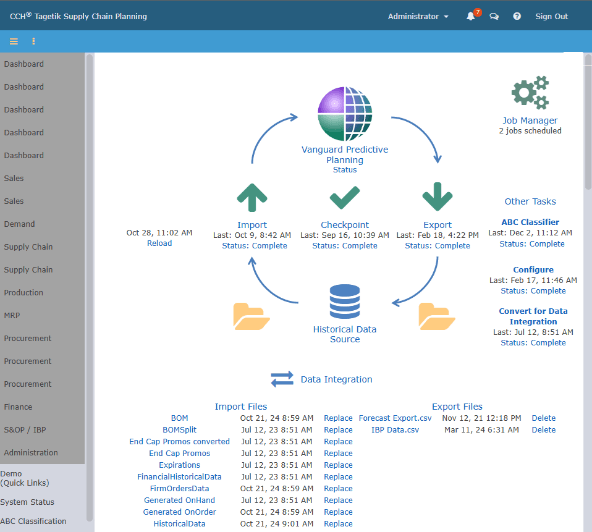
From the Administrator screen, click Supply Chain Planning. The Data Integration, Task Management, and Setup menus display.
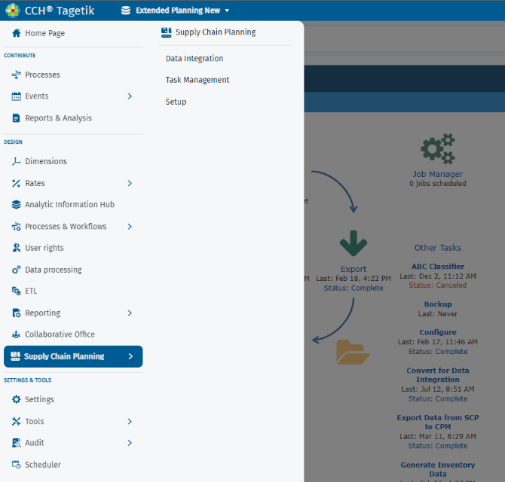
The SCP Administrator New Interface is divided in following areas:
-
Data Integration:
-
Activity Manager
- File Manager
- Download Manager
- Task Manager
-
Setup:
-
CPM-SCP Configuration
- Single Sign-on Setup
- System Setup
Each area covers and improves the features already present in the Classic Interface of SCP. The next paragraphs will introduce the modernized page for each of the individual areas. This document contains a mapping of the main paths of the classic interface with the corresponding paths of the new interface.
| Classic Interface SCP | New Interface |
|---|---|
| Administrations | Design -> Supply Chain Planning |
| System Status | Data Integration |
| Tasks & Other Tasks | Activity Manager |
| Data Integration | Activity Manager |
| Job Manager -> Implementer Settings | Activity Manager |
| Job Manager -> Edit Data Settings | File Manager |
| Export Files | Download Manager |
| Edit Workflow | Task Management |
| Advance Mode | Task Management |
| User Manager | Setup |
| Set up Single Sing-On (SAML) | Setup Single Sing-on |
| Settings CPM – SCP Configuration | Settings CPM – SCP Configuration |
| Setup -> System Setup ("Default") | System Setup |
| Setup -> Advanced Settings | System Setup |
Make available the Collaborative Workflow for Administrator
To leverage full access within Collaborative Workflow Administrator, you must set the tasks listed. That allows to use the Collaborative Workflow Administrator screen to configure Data Integration, Task Management, and Setup in SCP.
- From the Administrator screen, click Supply Chain Planning and click Task Management.
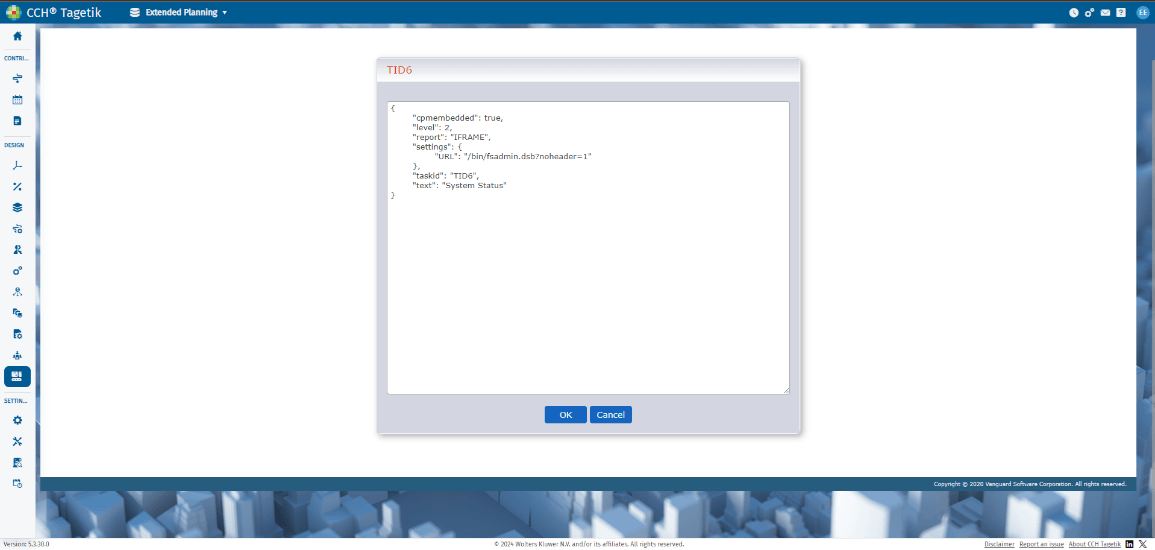
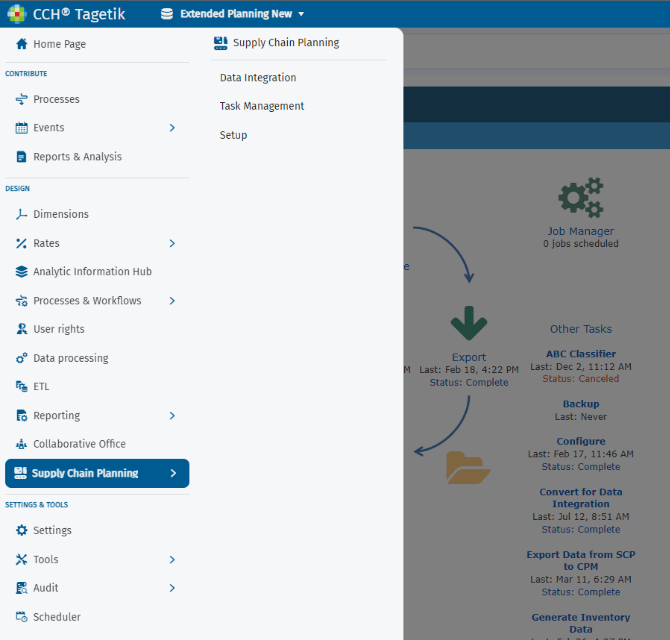 2. From the Task Management screen, click Edit JSON on System Status.
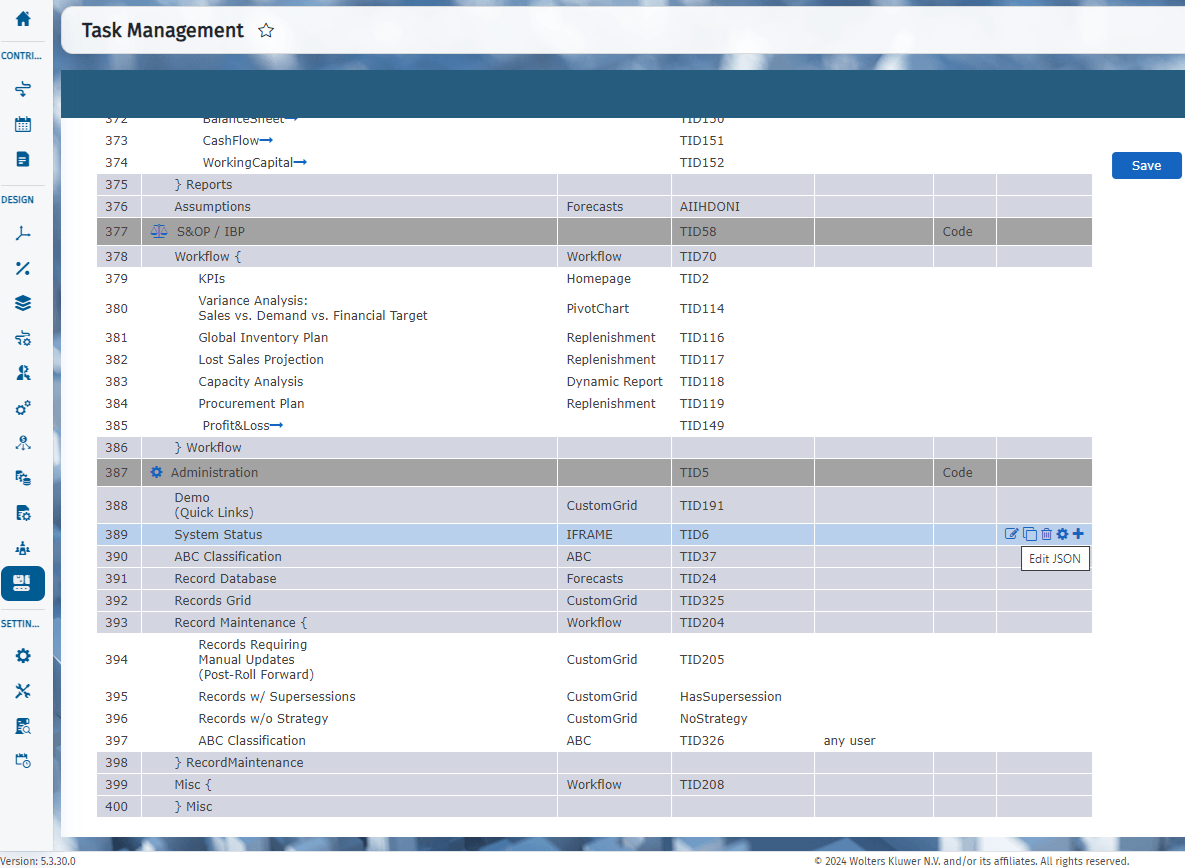 3. Add property "cpmembedded": true