Cell Fields Wizard
Excel > CCH® Tagetik >  Design > open form > select cell >
  Cell field
Purpose of window
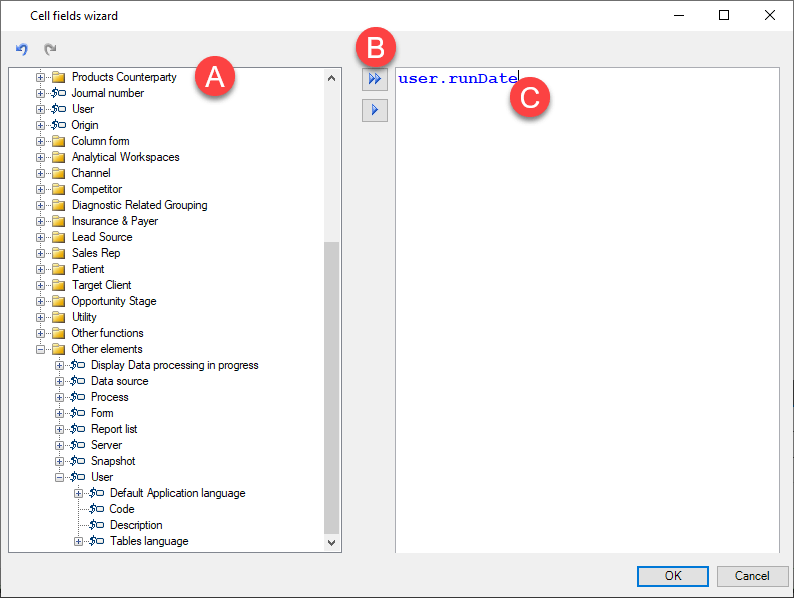
The Cell Fields Wizard allows you to insert into the form cell fields in which to display specific descriptions.
What it looks like
| Element | Description |
|---|---|
| A | Tree of functions with attributes that can be inserted as cell fields () |
| B | Action buttons |
| C | Syntax associated with the cell field |
Buttons in the window
| Element | Description |
|---|---|
| Inserts the whole expression associated with the cell field. | |
| Inserts the current function only, not the entire expression. Useful for manually building cell fields not available in the predefined functions. |