Examples of validation
Introduction
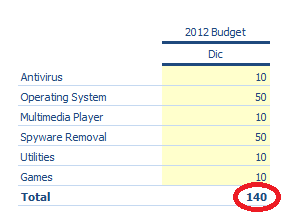
Suppose you have a matrix in which the products sold by a certain company appear on the rows and the user must enter the prices for the scenario/period of budget 2012BDG/12 in the columns. All the products must have a price of between EUR 100 and 150. Given that the values must be entered in the matrix column, let’s define a validation on the column.
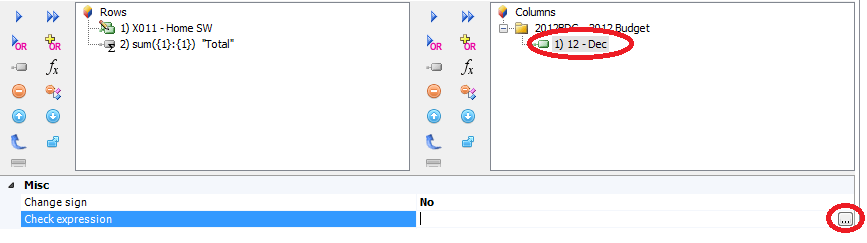
Example 1: The validation must be successful in all columns/rows.
Let’s suppose that incorrect prices of below EUR 100 have been entered. On saving, the system reports that there are errors in the saved data. In the window containing the error message, the system provides a description of the error and the cells in which incorrect values have been entered. In the below example, we have errors in cells C5 and C9.
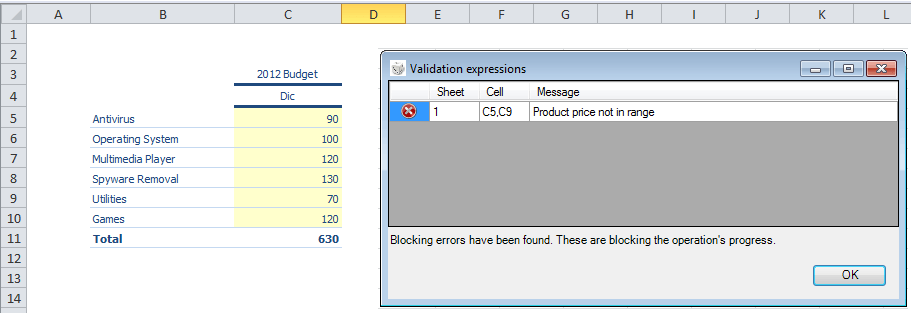
To successfully save the entered prices, the data in those cells must be edited to ensure that the values fall within the range. Once the values have been changed, the system will correctly save the data.
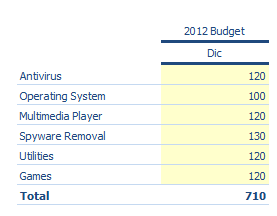
Example 2. The validation must be successful in at least one column/row.
Suppose all the prices have been entered incorrectly. On saving, the system reports an error.
To successfully save the entered prices, at least one price must be edited. If one price falls within the range defined in the validation expression, the system saves the data.
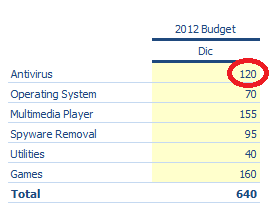
Example 3. The validation is performed by summing up the values of the formula in all columns/rows.
In this case, the data are validated not on the individual values within the column, but on the sum of the values present in it. In the below example, despite the fact that all the individual values are within the defined range, saving failed because the total of the value does not fall within the range of values specified in the validation.
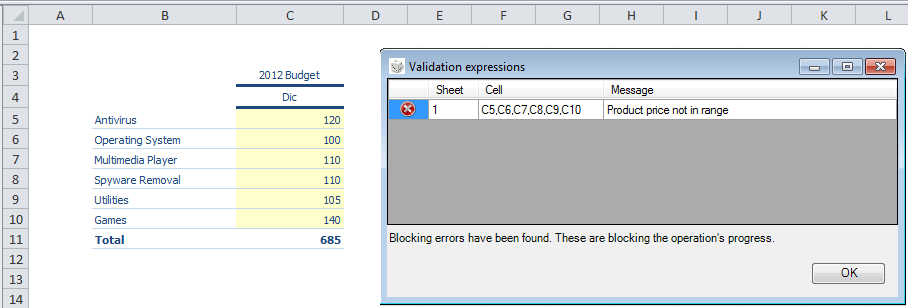
To successfully save the entered prices, they must be edited so that the sum total falls within the specified range.