Deployment
In some cases, in Tagetik it is possible to insert a synthetic parametrization by using the nodes of the aggregation structures. The synthetic information is managed by specific windows named definition window.
In order to make the data processes that use the synthetic information more efficient, Tagetik provides a deployment tool which is able to read the information defined in the definition windows as well as the aggregation structure in order to understand how the nodes are made and, with one single deployment data processing, to define a series of "deployed" tables containing very detailed information.
So the deployment prevents the system from having to run the deployment information more than once, causing delay, whenever it needs to use collected aggregated information.
Moreover, the deployment allows obtaining the modifications made to the elements of a hierarchy without having to update the definition windows every time.
 Therefore, it is necessary to run the deployment whenever a modification is made to the parametrization, since the "deployed" tables provide a detailed picture of the synthetic definition at a precise moment in time. So any modification made later, will be acquired by the system by rerunning the deployment.
The Deployment can be run:
- via General Deployment, in this case, all elements present in the selected elements tables will be run;
- inside a Job, in this case, you can select the specific elements you want to deploy.
- via Workflow Task , launched from Process cockpit function
General Deployment
The General Deployment window can be accessed from the General Deployment tile via Navbar > Tools > General Deployment
The window shows the deployments tree;
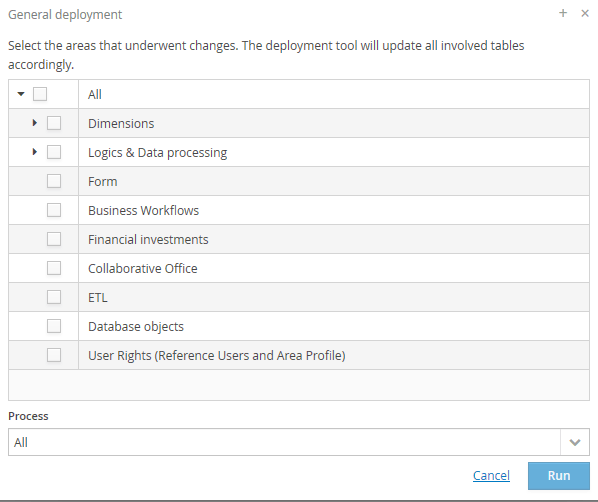
In order to select the deployments to be run, it is possible to:
- select each deployment by ticking the related check-box;
- select all the deployments of a group by ticking the corresponding outer check-box;
It is possible to filter the execution by specifying an application process.
 In case of deployment of user rights on the Entity dimension's restrictions, the system processes only the organizational hierarchy related to the selected application process.
In the Advanced filters box, it is possible to further filter the execution by:
- Original Scenario or Period
- Consolidation Scenario or Period
- Entity dimension's hierarchies
- User
By clicking on "Schedule", it is possible to organize the execution of the deployment based on the parameters set up by the user (for further details, see the "Scheduling" chapter)
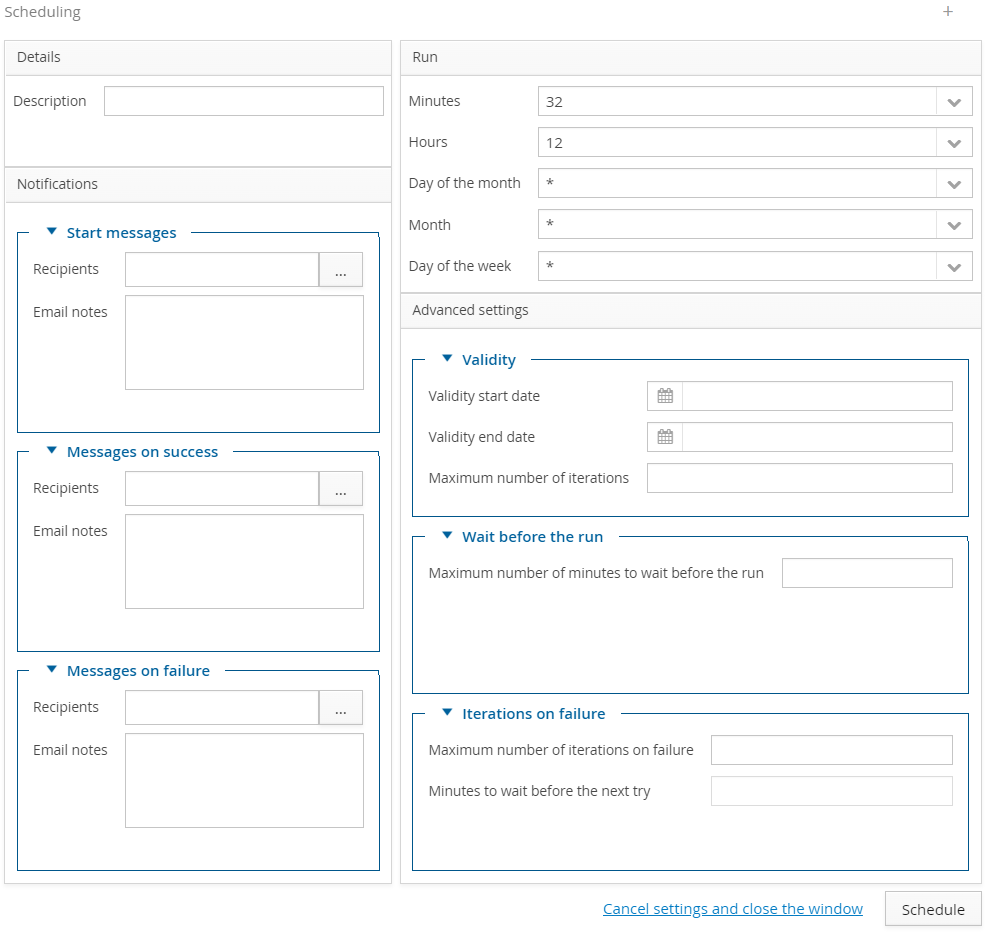
Whereas, selecting "Run" launches the data processing. Once completed, the Data processing is complete window pops up showing the performed operations and the exportable detail log.
Please note that in some cases the deployment can involve a big amount of data and therefore its execution could take very long time. So, whenever possible, it is recommended that you limit the area of data (e.g. by specifying the application process) for which the deployment must be run and run only the deployments that are really needed.