Parametric reference
When enabling the Parametric reference option, the value of the reference is equal to the value of the first Bookmark, in the list of the defined bookmarks, that meets the comparison rule.
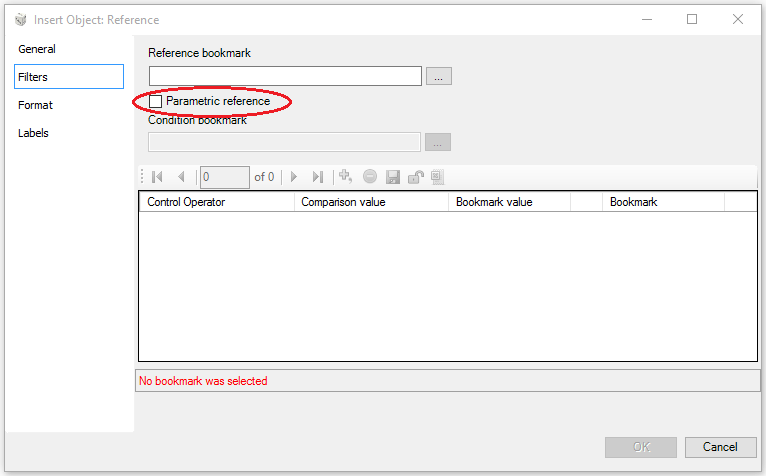
Before defining one or more comparison rules, in the upper part of the window it is necessary to select:
- a reference Bookmark whose value is used when no comparison rule is met
- a Condition bookmark whose value is used as a first term for comparison in the rule
The selection of the bookmarks is carried out in the same way as that described for the "standard" reference.
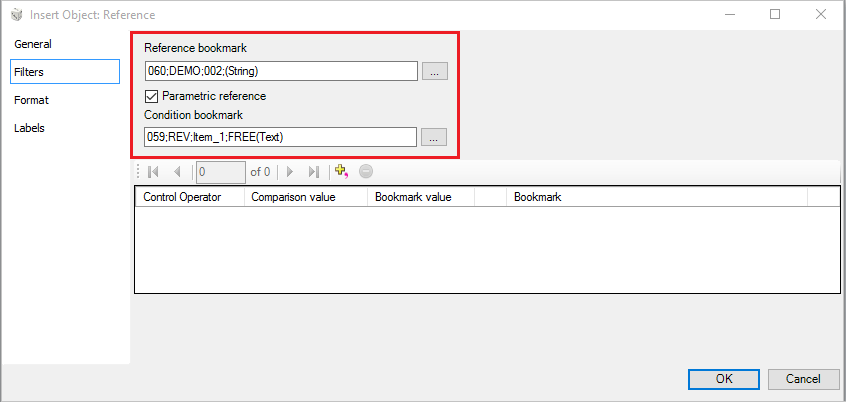
Then it will be necessary to add as many rows as comparison rules . in order to add a row, use the icon  Add New Item.
Each rule compares, on the basis of a control operator, the value of the Condition Bookmark with the Comparison value or with the Bookmark value. If the rule is met, then the value of the selected Bookmark will be associated to the object.
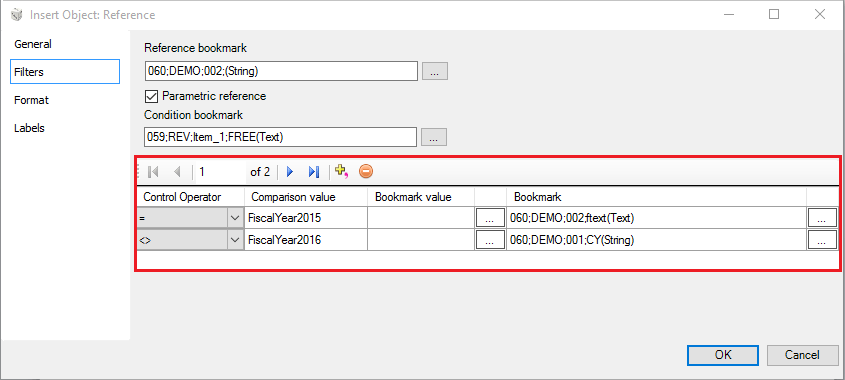
For each row it is necessary to:
- select the Control operator on the basis of which the system checks the values to compare. The system provides the user with six different types of operator: equal, different, greater than or equal to, Less than or equal to, greater than, less than;
- use a value as second term for comparison in the rule. The value can be:
- the Comparison value defined by the user
- the value of the selected Comparison Bookmark
- select a Bookmark to associate to the reference whether the comparison rule is met.
 The only format available with a comparison rule of "Date" type is "year - month - day" (e.g. 2015-12-31).