Labels management
When several workflow tasks must be assigned to a specific user, instead of assigning each single task, it is possible to create a label and then relate it to several tasks; then, when defining the user rights, just restrict the user to the label rather than to all the tasks of the workflow.
The management of the label consists of three steps:
1- Labels definition
The labels are defined by document type. It is necessary to:
- access the document types definition window
-
click on the Labels link (visible only if the Custom workflow option is enabled for the selected document type)
-
click Add and fill the following fields in the Attributes tab:
| Field | Description |
|---|---|
| Code* | Insert a valid code containing the accepted characters |
| Description* | Insert the description in the application language If more than one language is available, the other descriptions can be inserted in the Show link |
- Save
2- Assign labels to the tasks
To assign a label to a workflow task, it is necessary to:
- access the workflows definition window, click on the document activity to display the workflow to which you want to assign the labels
- select the task to which you want to assign the label
- click the Edit button in the panel on the right of the window
- select the label to assign
- Save
3- Restrict users to the labels
To restrict a user to the execution of only the tasks with a specific label, it is necessary to assign a label to the user, namely:
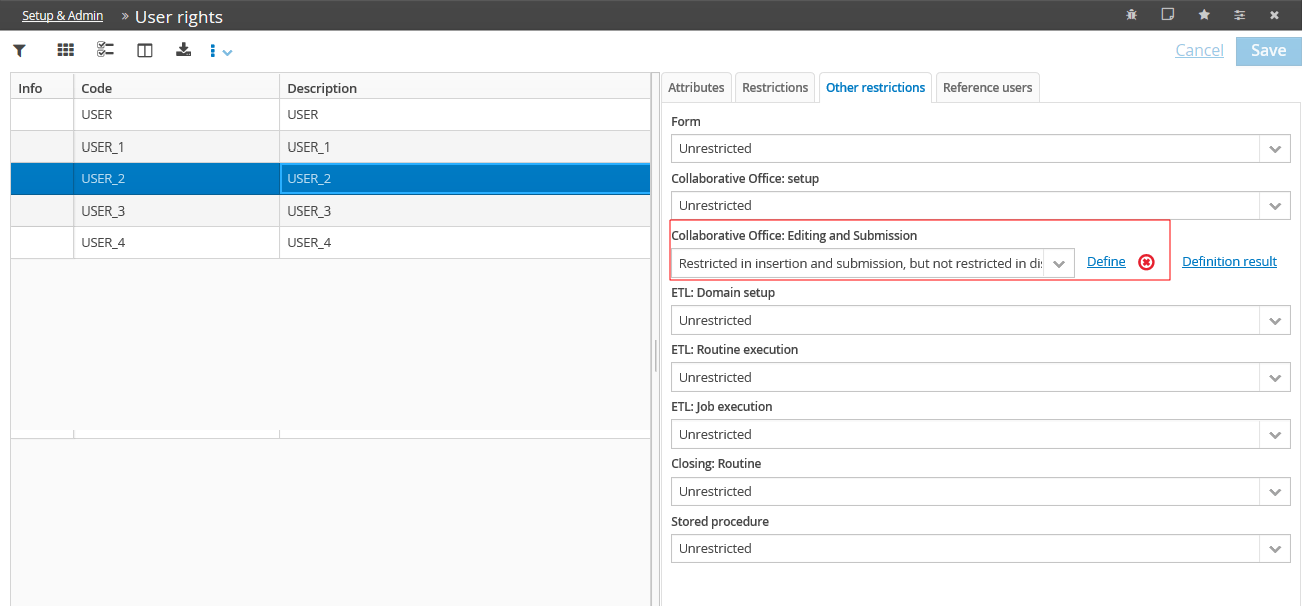
- select the user to restrict from the user rights table of the application DB
- click on the Other restrictions tab
- define the Collaborative Office: Editing and Submission attribute with the Restricted in insertion and submission, but not restricted in display option
- Save
At this stage, it is possible to define the data entry and submission restrictions by clicking on Define and then, in the definition window:
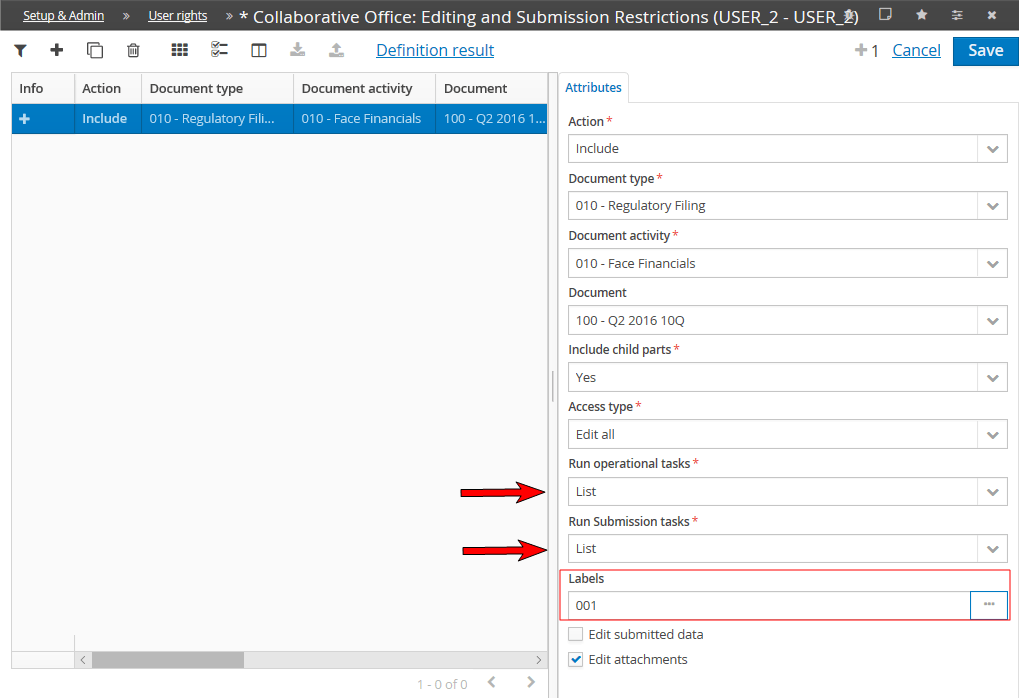
- select the document type, the document activity and the document on which to define the user rights
- restrict the user to the execution of operational / submission tasks present in the workflows by selecting the "List" option
- select the codes of the labels to apply to the workflow tasks to which you want to restrict the user
- Save