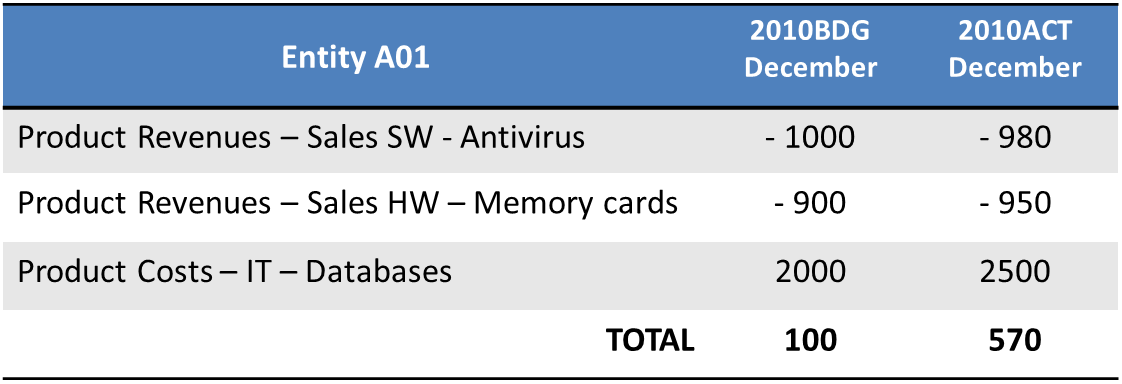
Examples of row/column filter settings
Example of simple filters
To create a data entry form to insert quantities of products managed, the following must be set:
- the product custom dimension on the rows
- the quantity account dimensions on the columns
Example of complex filters
To create a form for comparing data between the budget P&L and the actual P&L on periods June and December, the following must be defined:
- the P&L financial statement template for the row filters
- the scenario and the period for the column filters.
In the run step, the following elements will therefore be generated:
- one row for every type of data in the P&L financial statement template
- a total of four columns for the column filters, corresponding to the combinations of the periods with scenarios: 2019BDG/December, 2010ACT/December, 2019BDG/June, 2010ACT/June.