Accounting entries
The accounting entries constitute valid support for the management of all of the specific cases which the system does not manage automatically or which serve to replicate some particular situations internal to the entity. Essentially, the accounting entries are characterised as simple double-entry records at the user’s full discretion.
They are typically used for entries related to the distribution of dividends, capital increases, eventualities not managed ad hoc by the procedure, and for reasons pertaining to the “phasing” of the results of the data processing itself.
The accounting entries can be managed in several ways:
- by using the functionalities of the ETL module to load the data from any ERP system and in general from any IT system in which they are managed;
- from the end user’s web interface through the processes cockpit by selecting, from the Cash Flow Planning button, the menu item Accounting entries within the Activity panel;
- from a workflow model task. The task to be used in this case is Data entry & Reporting > Cash Flow Planning, subsequently indicating the OBJECTS_DOUBLE_ENTRIES - Accounting entries in the parameters;
- from a transactional data entry form with custom ETL
Each accounting entry is managed by process/entity.
There are two types of accounting entry:
- Entries which DO NOT USE the accounting model, such as the write-down of a receivable
- Entries which DO USE the accounting model, such as the increasing of the Financial Investment Write-down Provision
Entries which DO NOT USE the accounting model
Every accounting entry is identified:
- by an object number which constitutes the accounting entry’s unique identifier
- by a description contained in the Notes field
- by the active Do not use accounting model option
- by the Exclude accounting entries from the calculation option
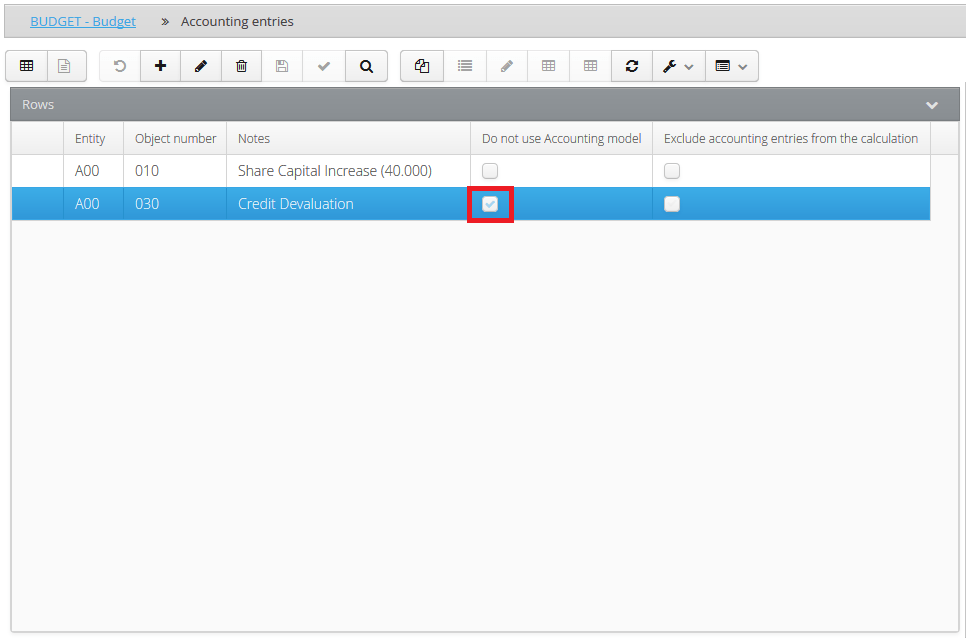
This type of accounting entry is characterised by the presence of at least two records: one which represents the debit transaction and another for the credit transaction, like a very standard Double Entry.
For every accounting entry, it is necessary to indicate:
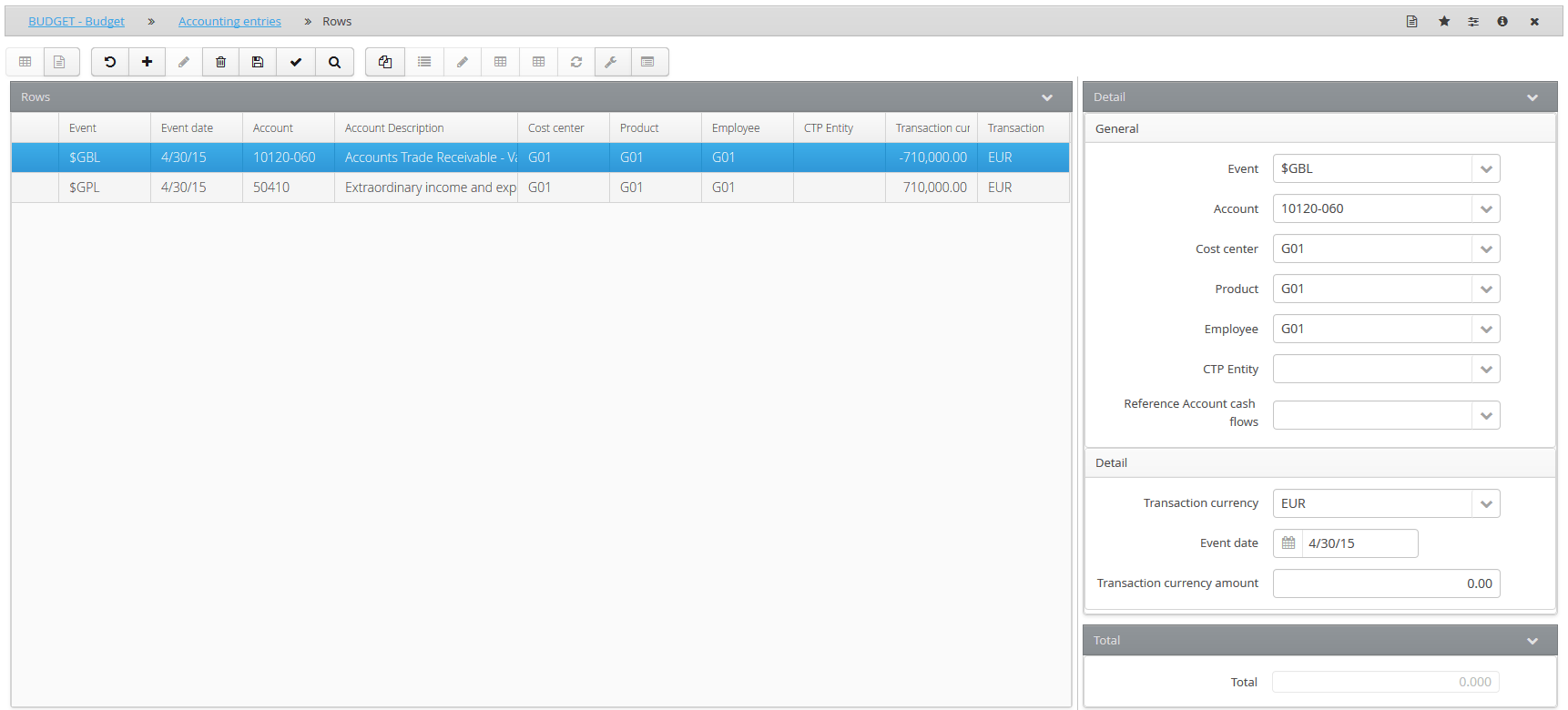
-
some general information, such as
-
the event on which the entry must be made. Balance sheet entries are typically loaded onto the accounting event, while P&L entries are typically loaded onto the accrual event
- the account onto which the entry must be generated. If the account is of a “balance sheet” nature, then it is necessary to use a variation-type account; if the account is of a “P&L” nature, then obviously a standard account is used
- any custom dimension (such as Products, Clients, Cost Centres, etc.) if their management is enabled
-
the counterparty entity. This is only defined in cases of intercompany entries, such as assignments of receivables, rebilling, etc.
-
some detailed information such as
-
the currency of the entry
- the event date
- the currency amount or the amount expressed in the original currency
 The records which simulate the debit entry and credit entry will typically have the same date and amount, but opposite signs
 In the “Total” field, the system reports the total of the currency amounts of the accounting entry and signals unbalanced accounting entries with a warning (Total <> 0)
Entries which DO USE the accounting model
Every accounting entry is identified:
- by an object number which constitutes the accounting entry’s unique identifier
- by a description contained in the Notes field
- by the NON-active Do not use accounting model option
- by the Exclude accounting entries from the calculation option
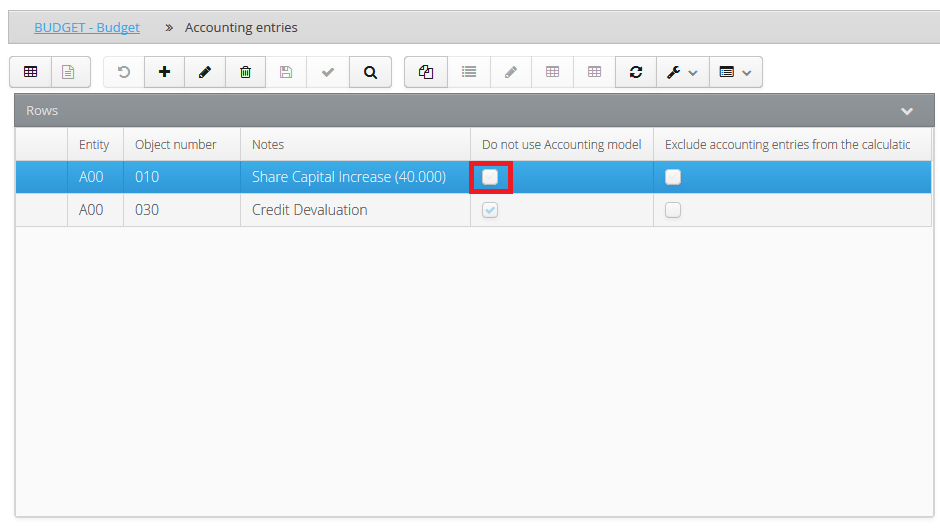
This type of accounting entry presupposes the use of the accounting model associated with the account to generate the forecast entries. Therefore, the fundamental prerequisite for being able to insert an accounting entry of this kind is that the account onto which the entry is to be loaded must have been associated, by the administrator or company user during the setup phase, with an accounting model.
associated, by the administrator during the setup phase, with an accounting model.
Entries which use accounting models can be represented by a single record, since the system, based on the loaded account, is able to autonomously construct the double entry according to the associated model.
For every accounting entry, it is necessary to indicate:
- some general information, such as
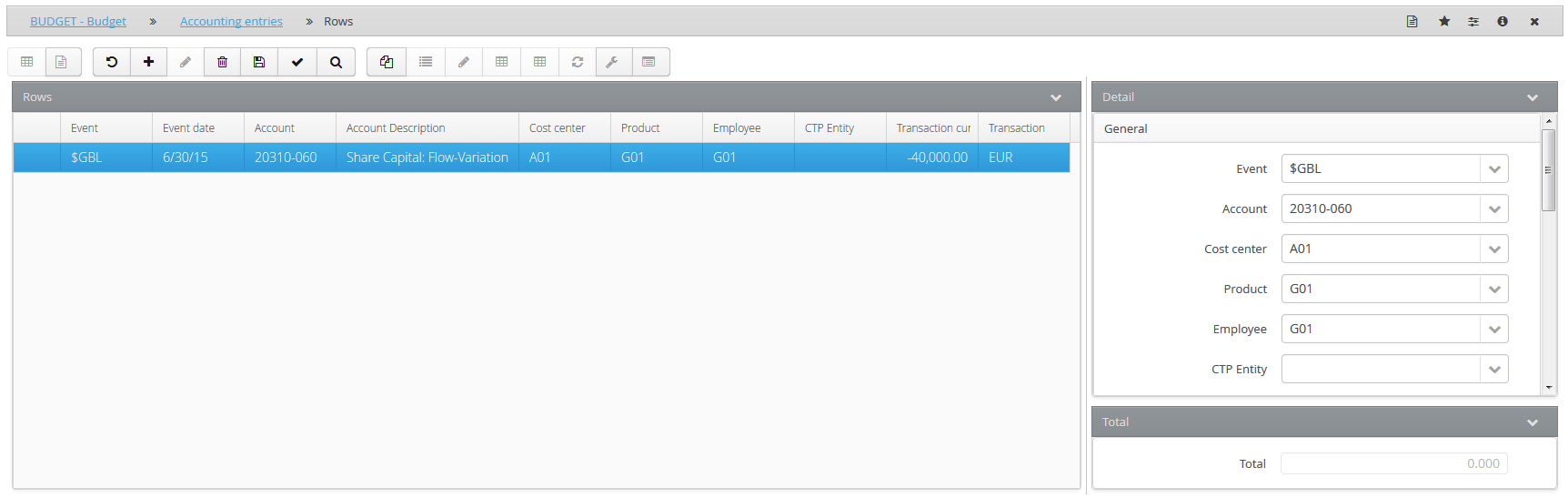
- the event on which the entry must be made. Balance sheet entries are typically loaded onto the accounting event, while P&L entries are typically loaded onto the accrual event
- the account onto which the entry must be generated. If the account is of a “balance sheet” nature, then it is necessary to use a variation-type account; if the account is of a “P&L” nature, then obviously a standard account is used
In order for the system to create the Bank contra-entry:
- the accounting model associated with the account must provide for such an entry
- the liquidity account to be used must be specified in the account list in question
- any custom dimension (such as Products, Clients, Cost Centres, etc.) if their management is enabled
-
the counterparty entity. This is only defined in cases of intercompany entries, such as assignments of receivables, rebilling, etc.
-
some detailed information such as
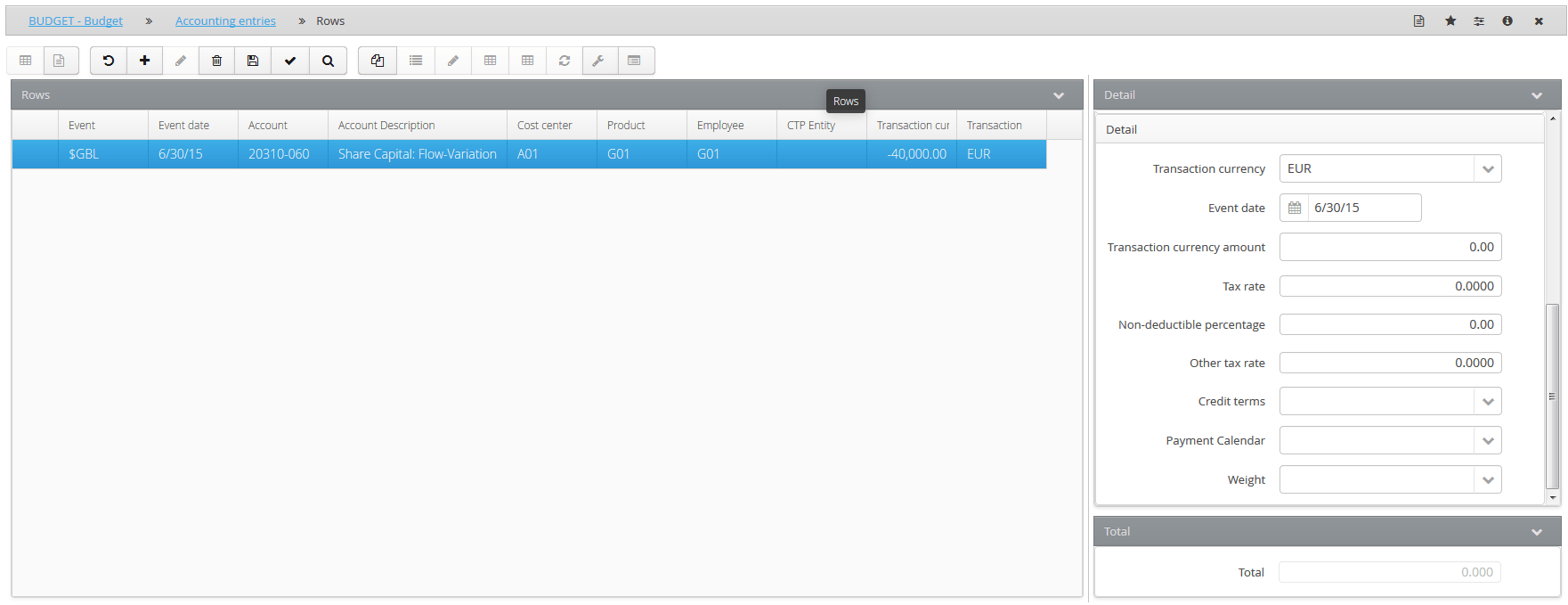
- the currency of the entry
- the event date
- the currency amount or the amount expressed in the original currency
- an indirect tax rate with the respective non-deductible percentage
- a potential other tax rate in cases of an additional indirect tax, other than VAT
- credit terms to apply to the accounting entry row. By specifying credit terms, it is also possible to indicate
- a payment calendar, if the financial event for the accounting entry row is subject to the payment calendar
- a weight, if the financial event for the accounting entry row is subject to the monthly splitting recalculation by weight.
Where the credit terms event is managed without this being provided for by the model, during the data processing phase the system returns a blocking message indicating that an event not provided for by the accounting model has been used for the account in question.