FX hedging
Exchange rate (FX rate) hedges represent all entries related to the management of instruments to hedge the FX risk designed to stabilise variations in foreign currency and minimise the risk of losses on exchange rates in the annual financial statements.
FX hedging can be managed in several ways:
- by using the functionalities of the ETL module to load the data from any ERP system and in general from any IT system in which they are managed;
- from the end user’s web interface through the processes cockpit by selecting, from the Cash Flow Planning button, the menu itemFX hedging within the Activity panel;
- from a workflow model task. The task to be used in this case is Data entry & Reporting > Cash Flow Planning, subsequently indicating the OBJECTS_EXCHANGE_RATE_COVERAGES - FX hedging in the parameters;
- from a transactional data entry form with custom ETL
Each FX rate hedge is managed by process/entity, and is identified by:
- a series of general information, such as
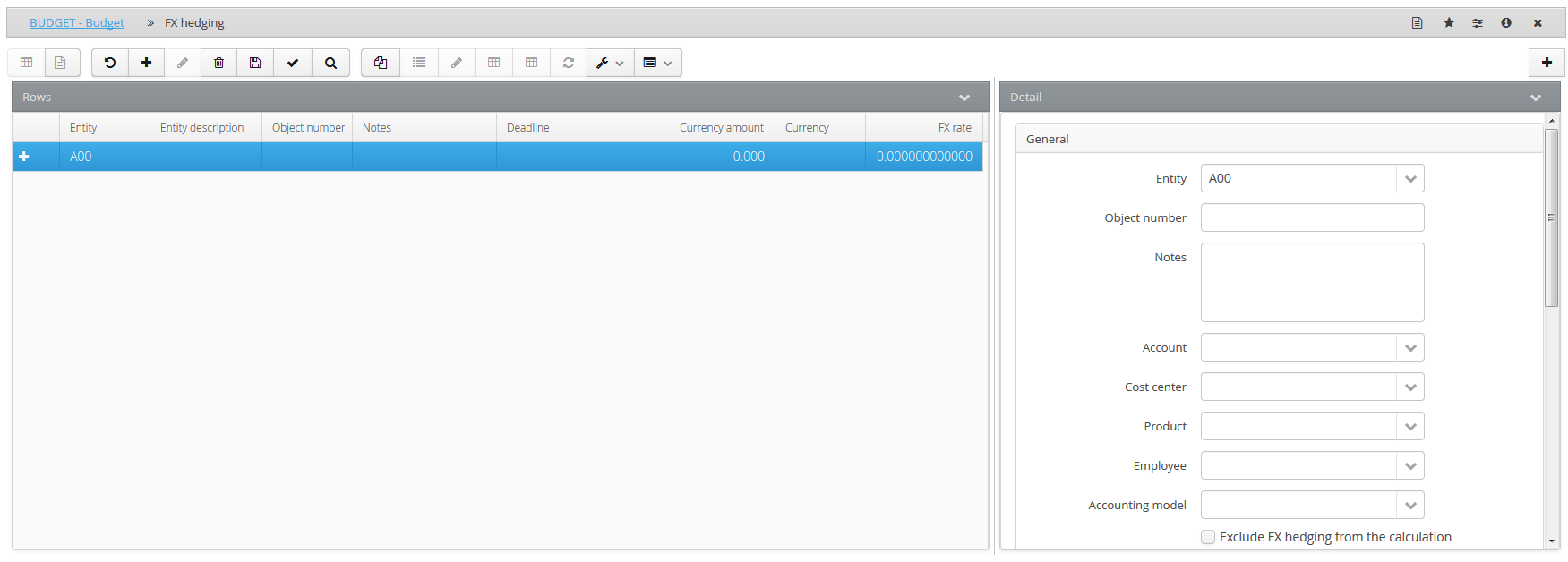
- an object number which constitutes the FX rate hedge’s unique identifier
- a description contained in the Notes field
- an account of a “balance sheet” nature used by the system to generate the entries linked to the FX rate hedge.
- one or several custom dimensions (such as Products, Clients, Cost Centres, etc.), if their management is enabled
- an accounting model of an “FX rate hedging” nature used by the system to generate the entries linked to the FX rate hedge.
- some detailed information such as
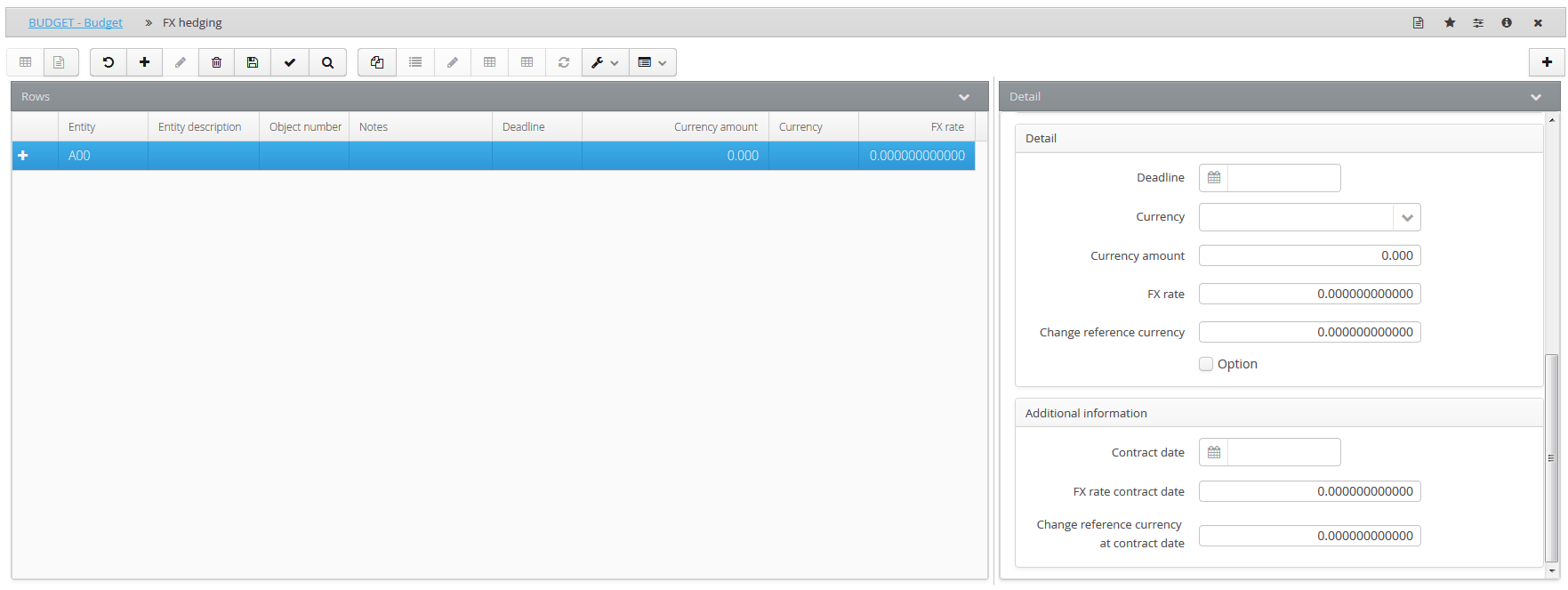
- the deadline of the hedging transaction
- the currency of the contract
- the reference currency which is set automatically by the system with the currency in which the entity operates (this is the reference currency in which the purchase or sale is performed)
- the amount in the currency of the contract
- the currency exchange rate in the contract
- the reference currency exchange rate in the contract
- any additional information related to the contract of sale/purchase, such as the contract date, the exchange rate of the contract currency as at the contract date (this is additional information not used in the calculation) and the exchange rate of the reference currency as at the contract date (this is additional information not used in the calculation)
The system processes the hedges with expiry dates between the process start date and estimate end date and allows the user to choose whether the FX rate hedge should always be generated, or only if the budget exchange rate is more advantageous than the contractual exchange rate. In the latter case, it is necessary to enable the “Option” option that appears in “Details”.
 The Exclude FX hedging from the calculation field allows the user to decide whether or not to include the object in the calculation of the hedge. This setting can be useful in the simulation phase whether or not the user wants to include the object without having to cancel it.
Having finished the setup, it is possible to view all of the events deriving from the management of the hedge via the Detailaction , launching the Data processing utility.
The system displays (based on the event date) all the events related to the defined hedging plan, and reports a series of information for each of them, such as:
- the currency
- the amount and the currency amount
- the reference account (Input sign) for that particular type of accounting (coupon maturity, capital loss/gain on sale or discounting, purchase tax withholding, interest instalment, etc.)
- the account used as the contra-entry (Opposite sign)