Scenario Planning
Functional Explanation
This process enables what-if scenarios and simulations for SCP and CPM, enabling the following:
- Create, edit, and compare integrated SCP/CPM processes
- Compare operational and financial scenarios using KPIs
- Run scenarios in a live execution environment
- Perform scenario planning using snapshot import activity
To understand the logic of Scenario Planning, study the historical starting point of the capabilities of the CPM processes and the CCH Tagetik Supply Chain Planning module. Specifically
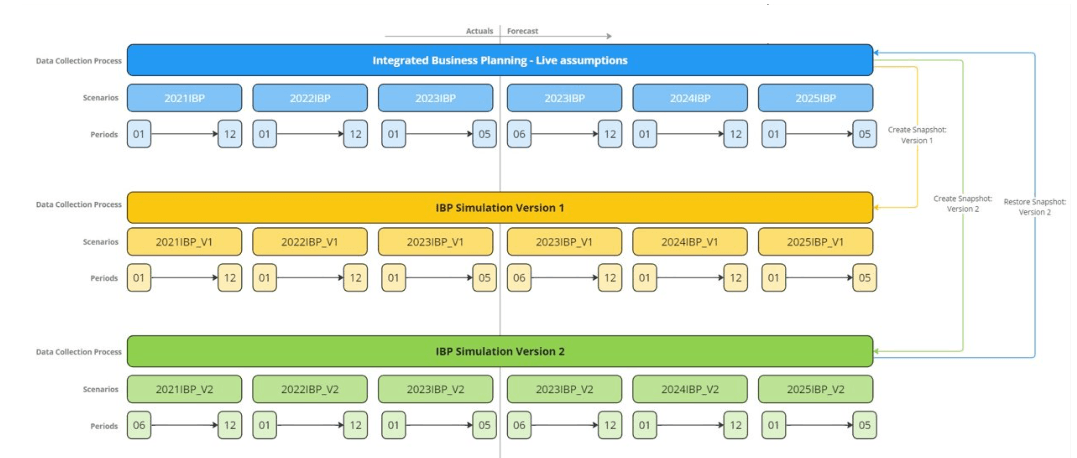
- Within the CPM, there are several processes that allow you to guide the user's activity. Each process is associated with a unique code and is associated with different time periods defined via Scenario and Periodio (example, Scenario 2024PLAN and Period 01, ...). In addition, it is possible to create "snapshots" that is, the copy of data from the official scenario to a snapshot scenario in which the data is segregated. See the example below:
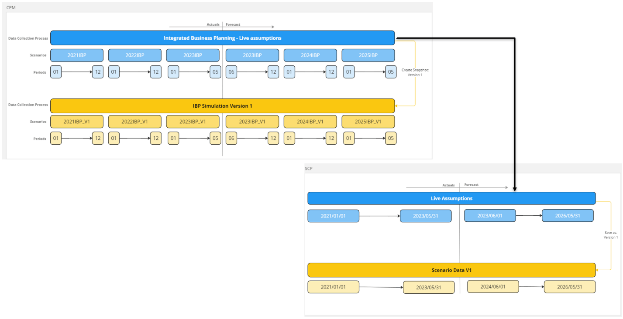
 - Within SCP, there is no concept of process, all data is managed in a single process called "live assumption". The data is not stored according to the logic of scenario and period, but contains all the time periods by date (example, 01/02/2024, ...). At a technical level the data of the "live assumption" is stored in a single folder called "Data" in the SCP installation. Furthermore, it is possible to create "checkpoints" or the copy of the data from the official scenario to a checkpoint scenario in which the data is segregated. At a technical level the data of the "checkpoints" is stored in a single folder called "User Data" in the SCP installation. See the example below:

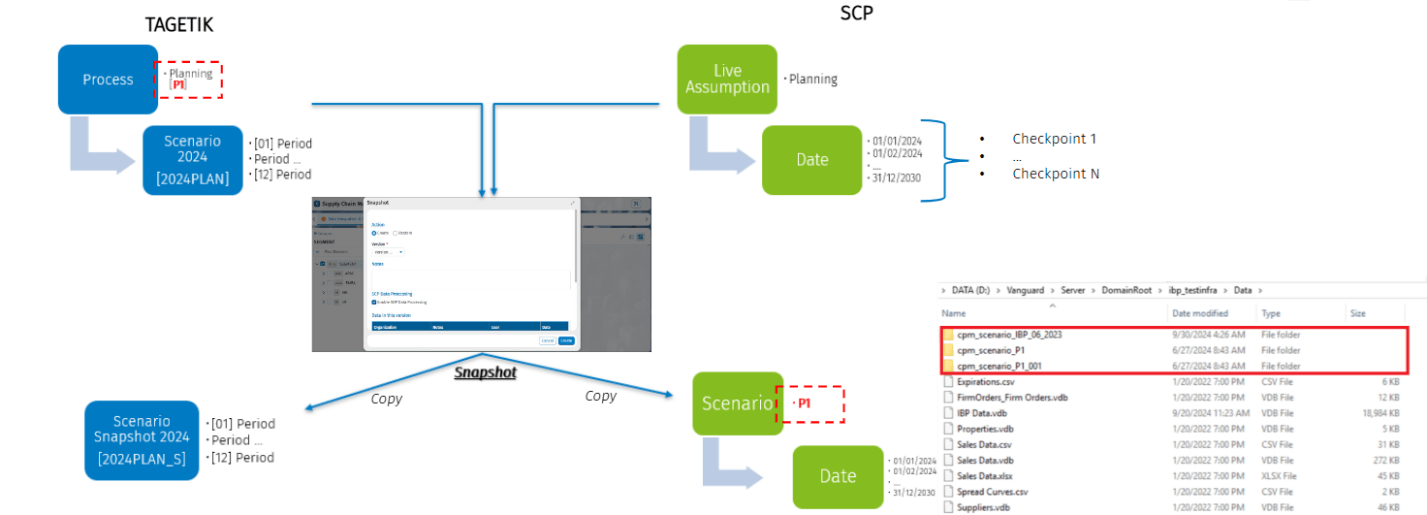
At a logical level the Scenario Planning feature is based on the CPM Process code that guides the creation of the "SCP Scenario" within the CCH Tagetik Supply Chain Planning module by launching the Snapshot on CPM. This means that in the configuration mask of the CPM Snapshot it is also possible to include the SCP data. Which at a technical level will be stored in a sub-folder under the SCP "Data", such SCP Scenarios are labeled in the folders using the wording:
- The “cpm_scenario_” + "CPM process code". Example (cpm_scenario_IBP_06_2023). The CPM scenario code is automatically inherited from CCH Tagetik SCP. And the process is invisible to the user. This means that when a workflow task for scenario manipulation or snapshot is executed, the tasks automatically acquire the CPM scenario code and handle it based on the characteristics of the data processing performed.
- The CPM process code also labels the data, in fact once extracted from SCP to CPM it is inserted in the "scenario" column of the assumption_vdb and assumption_vdb_data tables so that it can be recalled and compared with other scenarios. At a functional level, the SCP feature of "Checkpoint" is deprecated.
- The "scenario" code is also required for browsing SCP records via the Collaborative Workflow feature and for data processing. In this way all data belonging to a scenario can be queried and manipulated by the end user to further their analysis.
Going even more into the functional specifics, the CPM creation of a snapshot scenario, or the copy of the data from the official scenario to a snapshot scenario, is accessible from the collaborator's web interface via the process cockpit:
- The CPM data is frozen and correlated to the process.
- Using the collaborator web interface, the Scenario Planning Metadata - CPM process configuration creates an SCP snapshot and a scenario name.
- The SCP data is frozen when it is related to the live instance in a new Scenario folder.
- Update the Scenario folder of the SCP data using the Scenario Data task.
To configure CPM
- One or more Data Collection Processes.
- Each process should contain Scenarios and Periods.
- Define Snapshot Scenarios according to the CPM Manual.
- Associate Snapshot Scenarios to one or more Data Collection Processes.
- Configure Snapshot in the CPM process.
Note: The Scenario Planning integrated SCP and CPM is available only in the Multidimensional Process.
Application Use Case:
Implement the Scenario Planning function with this series of steps:
- A new simulation(s) scenario(s) can be create by the Snapshot feature. The scenario is stored within the SCP process and contains an exact copy of the Live Assumption scenario data.
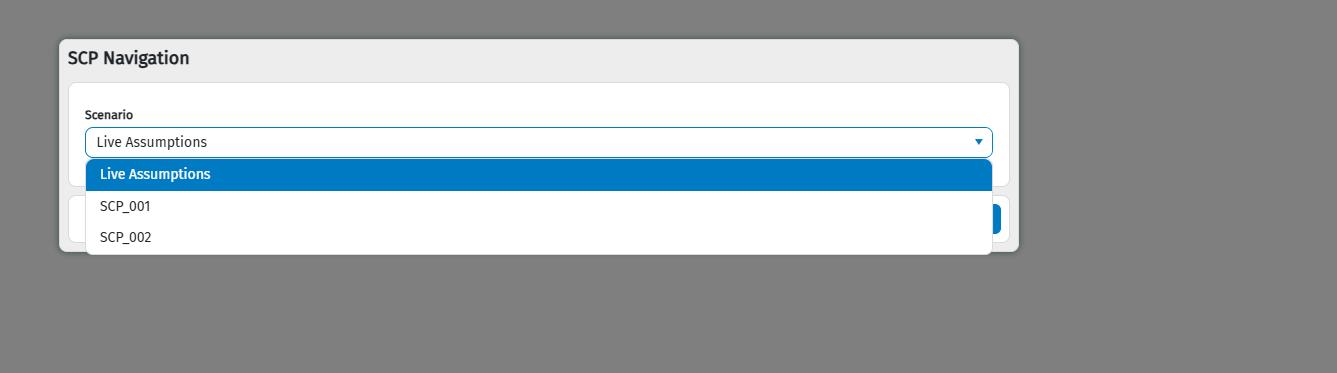
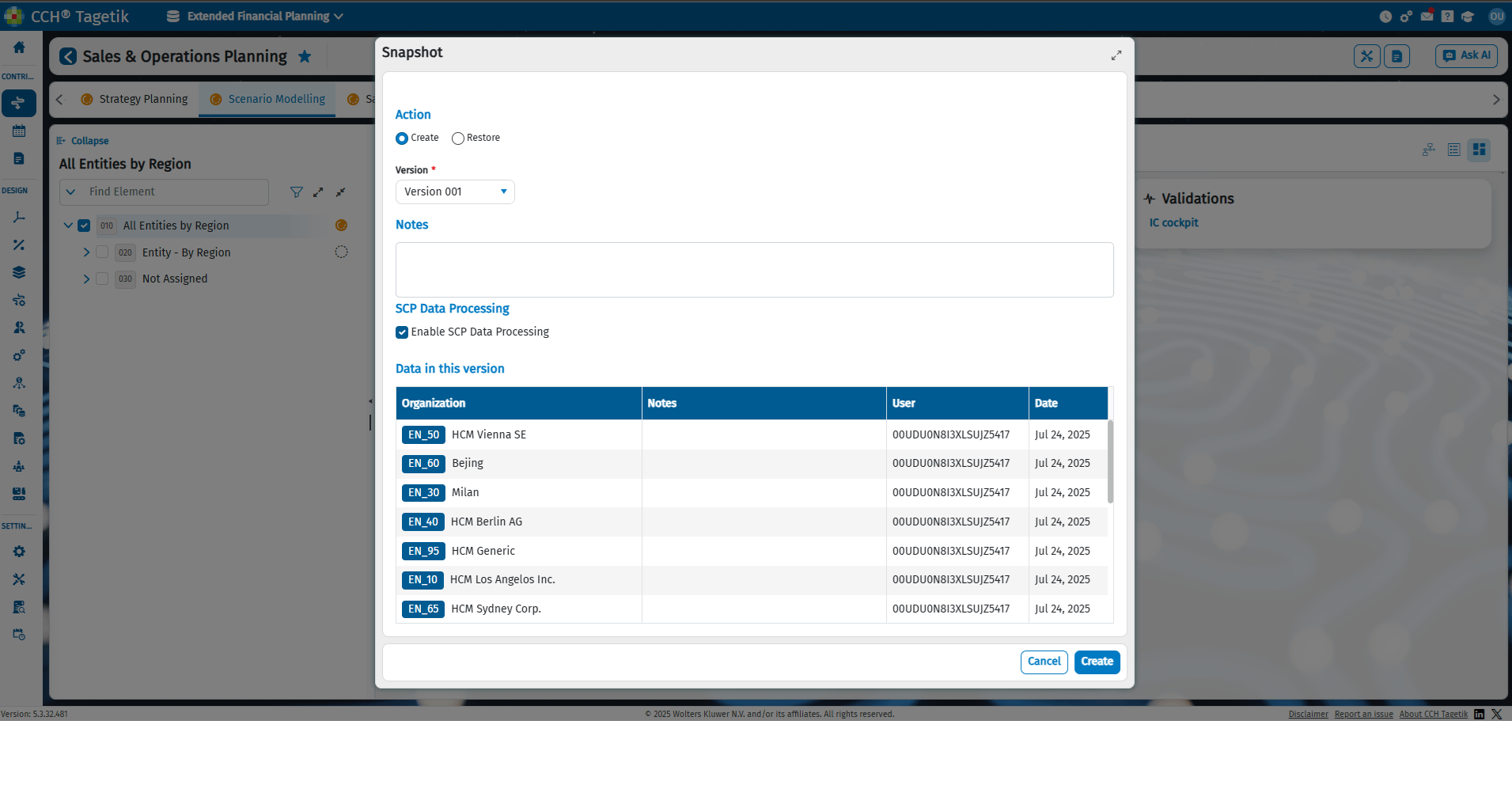 2. The user can navigate the new scenario using the parameter requested when opening each grid view. The new simulation scenario can be modified by the user according to their needs. For example, in order to evaluate different alternatives and create what if analyses
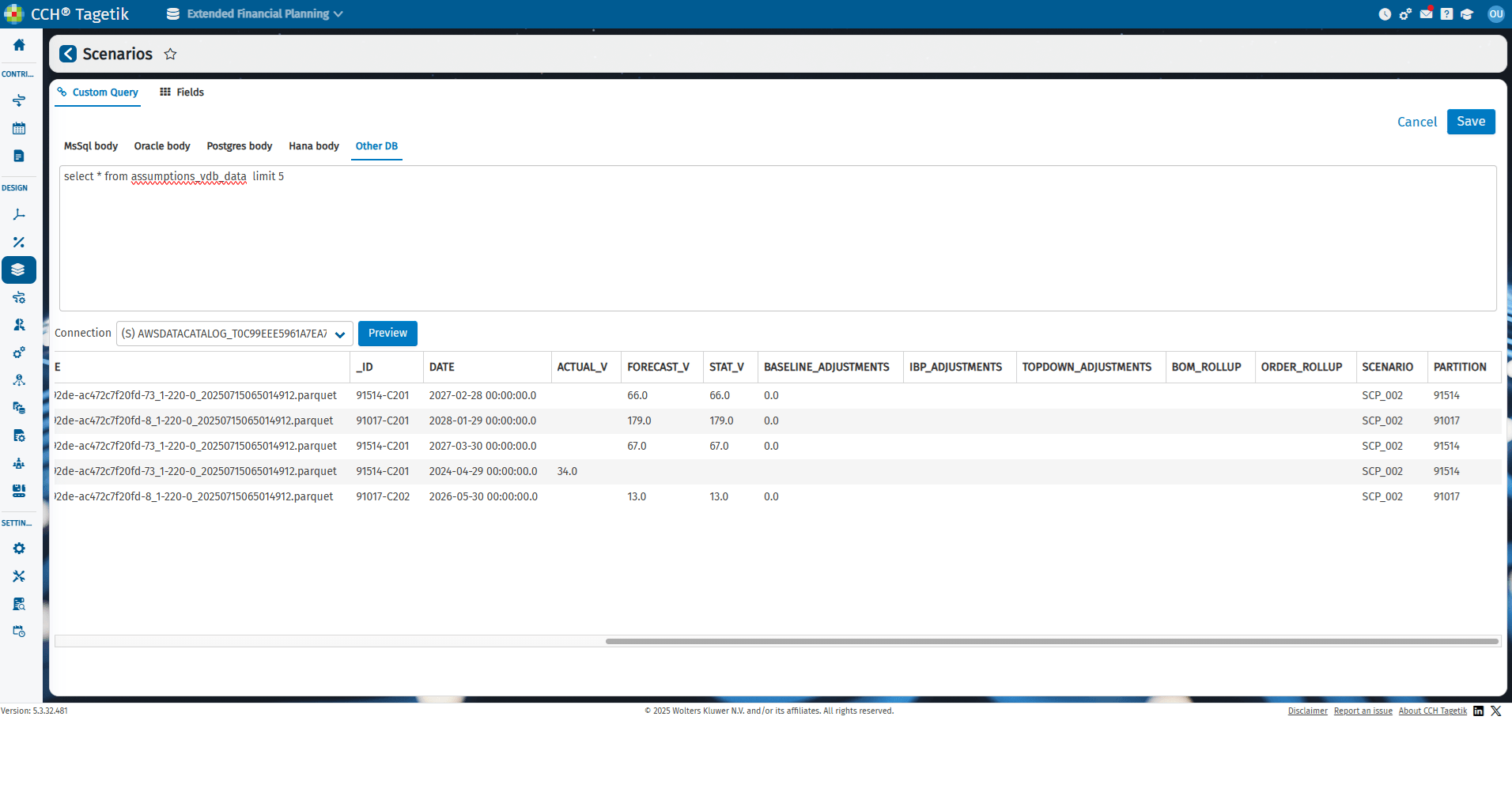
 3. Scenario data can be analyzed using integrated reporting and made available to Tagetik reporting via the "SCP Data Integration" task. To read the scenario data, a field called "Scenario" is available in the assumptions_vdb_data table. This table can be used within AIH data sources and therefore in standard CPM reporting, or for any AIH DTPs.
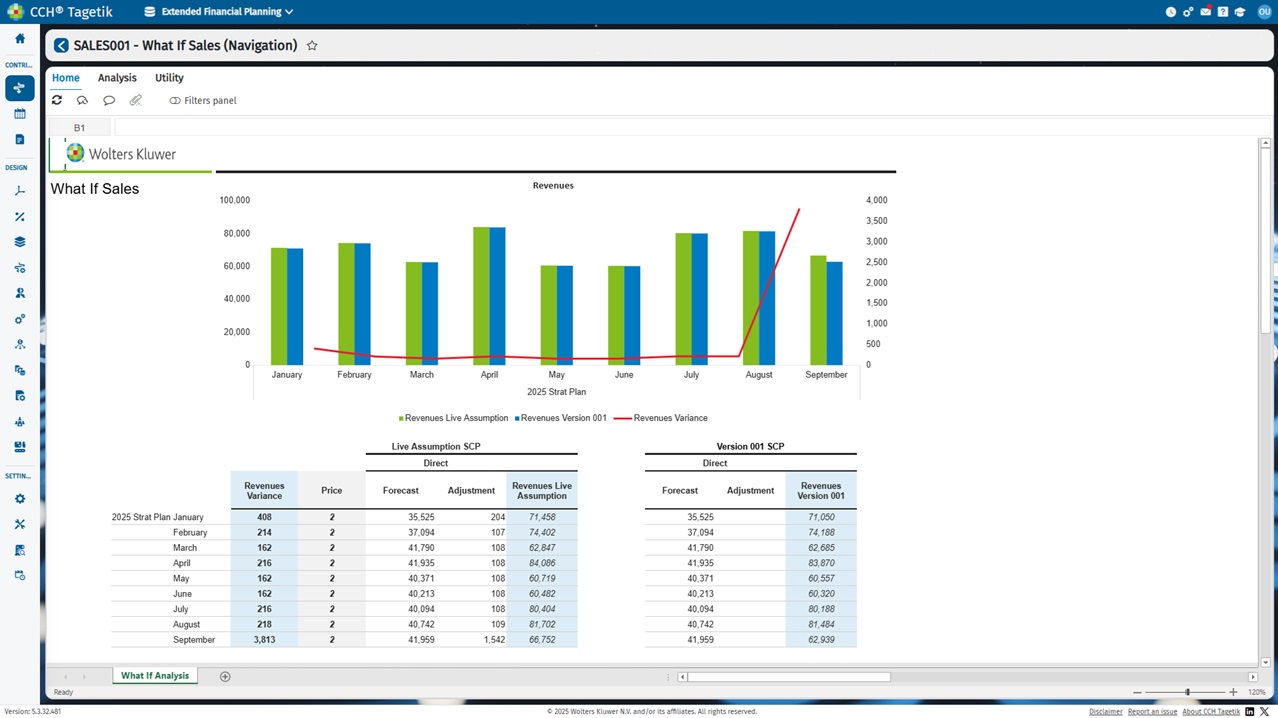
 4. To use Integrated Reporting, you need to launch the "SCP Data Integration" task to refresh the data available for reporting. Using the reporting tool, you can analyze supply chain data and, for example, compare the results of two or more different scenarios.
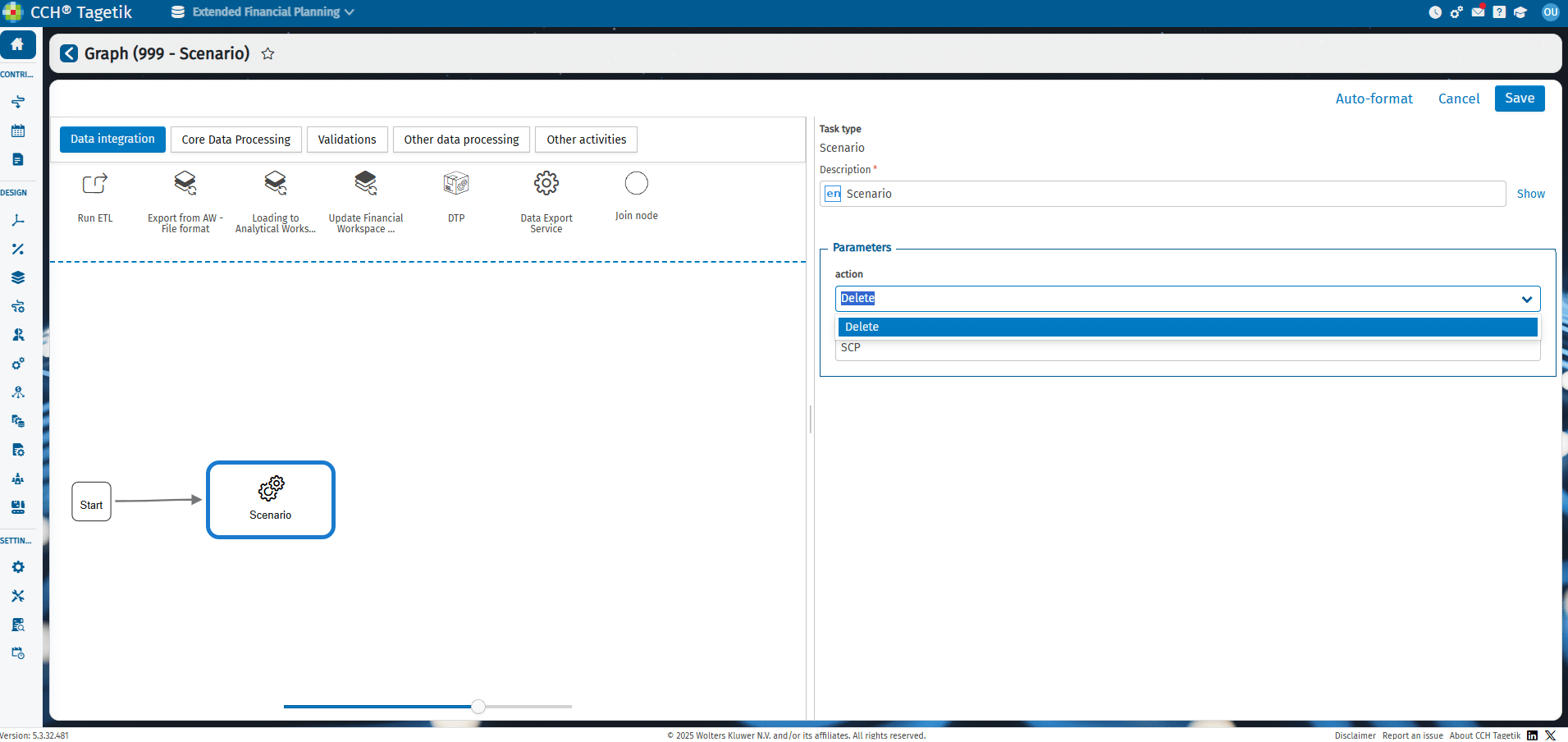
 5. The Scenario Task, configurable via CPM workflow or Data Processing > Job, allows to manipulate a scenario. For Example to perform the following actions: delete the scenario, promote to promote the scenario instead of live assumption, refresh the scenario or to build new ones via create.