Notification Panel
Repository > Configuration Deployment Tool > Transfer Process
Purpose of the page
This section allows you to view the real-time updated status of transfers run by you.
What it looks like :
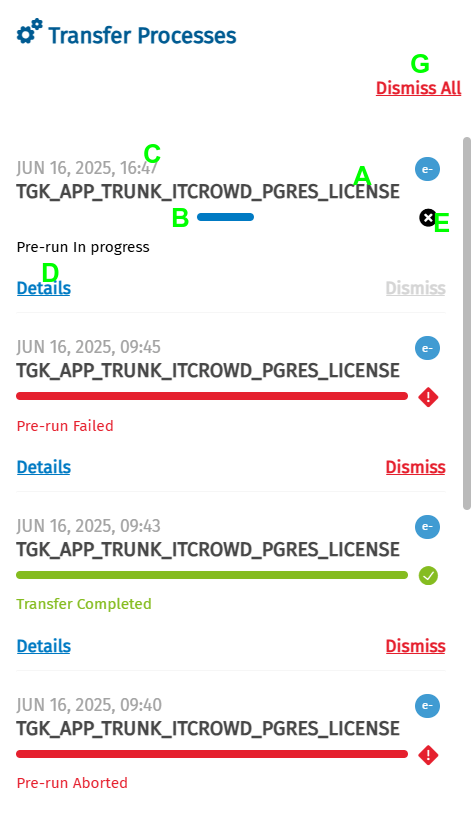
Components of the Notification Panel tab
Below is a description of the main components:
| Letter | Element | Function |
|---|---|---|
| A | Target Database | Shows the database to which the transfer is being made |
| B | Status bar | Indicates the status of the transfer in real time |
| C | Date of transfer | Shows date and time of the last notification update |
| D | 'Details' button | Opens the section with full details of the transfer See Transfer Page |
| E | 'X' icon (Abort) | Starts the procedure to abort the transfer See MDM20 Abort |
| F | 'Dismiss' button | Removes the notification of the selected transfer |
| G | 'Dismiss all' button | Removes all notifications of completed transfers |
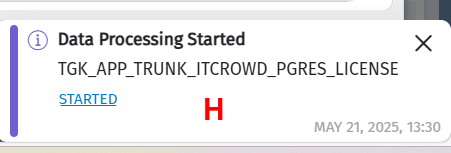
| H | Information pop-ups | Pop-up messages indicating changes in data processing status |
For further information on the operation of the notification panel, see Notification Management.