Calculated Properties
When adding or editing a record property, you can type formulas into the Property name field to create calculated fields. The column for the calculated field contains the result of the calculation.
See Add and Edit Record Properties.
For example, the following formula displays the Mean Absolute Error (MAD) for the record:
CALC:ErrMAD(x)
Edit Property Screen
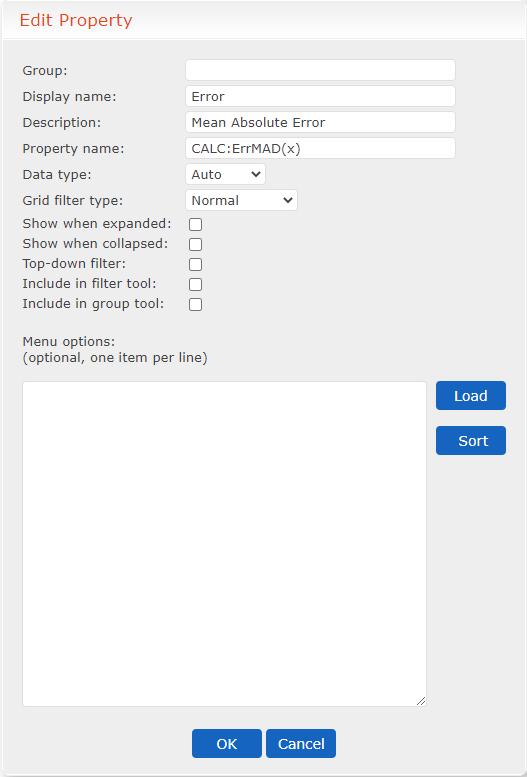
As another example, the following formula multiplies the Mean Absolute Error for the record by the custom value cost:
CALC:ErrMAD(x).Cost
Use the following parameters when using formulas:
- Preface all formulas with:
CALC:
- Format error values as follows:
CALC:ErrCODE(x)
For example, CALC:ErrMAD(x)
- Preface built-in field references with x. and use all lowercase letters (for example, x.owner).
Avoid performing calculations using built-in fields as these fields are used by the Forecast Server instance. Typically, calculations are performed using custom fields and error codes. - Capitalize custom field references (for example, CALC:x.Custom_field).
Following are the built-in fields and error codes you can use in a calculation:
Built-In Fields and Error Codes
| Fields/Codes | Description |
|---|---|
| name | Record name |
| type | Record type (for example, Value or Table) |
| value | Text-literal format of executable code that gives the item a value; this value is the result of calling the formula ascobj.Value(params) |
| owner | The usernames or group names that can save changes to the item |
| notes | List containing: [description,rationale,footnote] |
| params | ASC file object’s private data |
| display | Short text presentation of the record’s value; this value is the result of calling the formula ascobj.Display(params) |
| history | List of prior values in the format: [[Username,AscObject,OptionalProposalDescription],…] |
| lastupdate | Date/time stamp of the last change |
| modified | - True: The object has been changed since it was loaded - False: The object has not been changed since it was loaded |
| SMAPE | Symmetric Mean Absolute Error |
| MAPE | Mean Absolute Percent Error |
| MAD | Mean Absolute Deviation |
| MADP | Mean Absolute Deviation Percentage |
| BIAS | Bias Percent |
| LADZ | Last Absolute Deviation Z-Score |
| QSCORE | Quality score of historical data ranging from 0 to 100; lower scores due to missing historical data for some or many historical periods, or data that is difficult to forecast with the selected forecasting method |