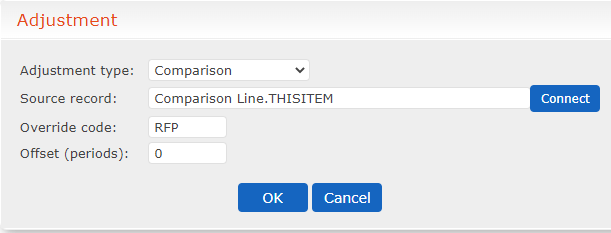
Add Checkpoints as Comparison Lines
This task allows you to configure checkpoints as comparison lines. This task assumes you already know how to create checkpoint files, you are using a consistent naming theme for your checkpoint files, and you are storing the files in the same subfolder. For this example, we have put our checkpoint files in ..\Bin\User Data\ and all files begin with "Auto".
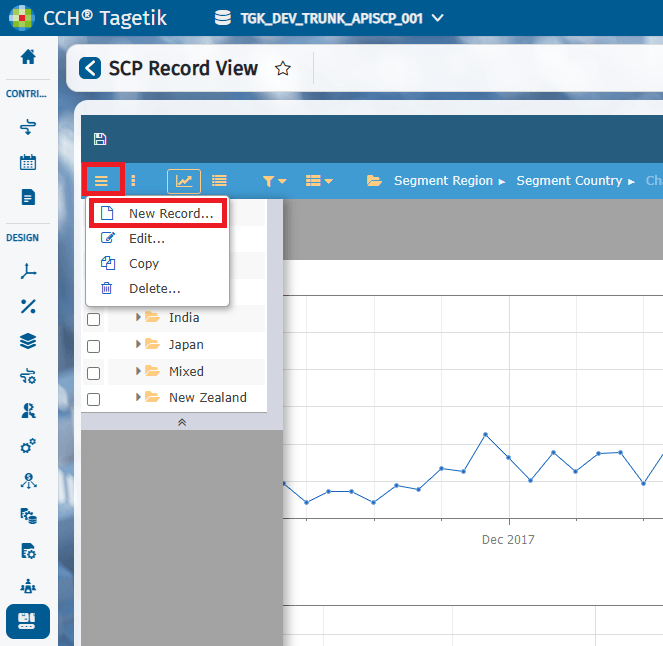
- Create a new record.
New Record
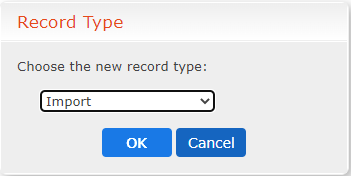
 2. Select Import as the record type and click OK.
Import Record Type
 3. Scroll to the bottom of the screen and select Checkpoint as the Type.
Import a Checkpoint Screen
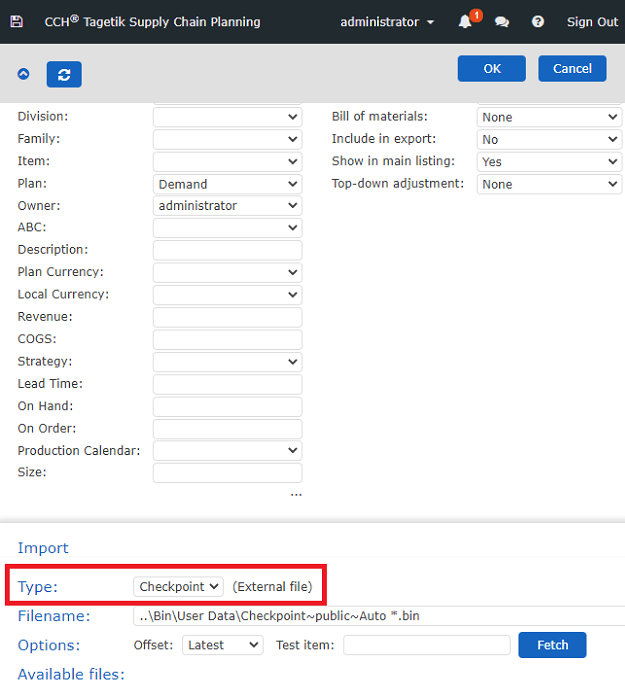 4. For the Filename, point to your folder where your checkpoint files reside and press Enter. Point to a list of files by using * in the specified Filename. For example, ..\Bin\User Data\Checkpoint~public~Auto *.bin
The checkpoint being used is in bold. In most cases, you will leave the Offset option set to Latest. Then each time this file is used as a comparison line, the latest file, according to creation date, is used. 5. Now you can use this file to set up a comparison line in the Adjustments & Overrides table.
Adjustment Screen