Define Dashboard window
Excel > CCH® Tagetik >  Design > open dashboard form >
  Definition
Purpose of window
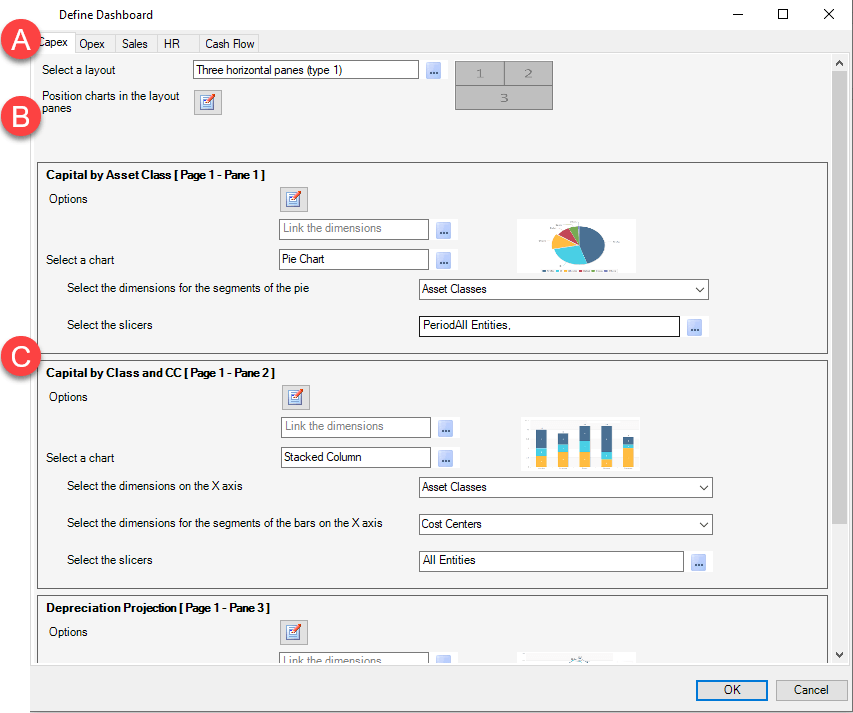
This window allows you to define the appearance of the dashboard report, or choose the types of chart to be displayed, their distribution within the template and the data shown. The default order of the charts within the pages mirrors the order of the matrices within the relative template.
What it looks like
| Element | Description |
|---|---|
| A | List of sheets generated to contain all charts defined for the report |
| B | Layout section to set how charts are arranged on the page |
| C | Chart section to define a chart for every matrix |