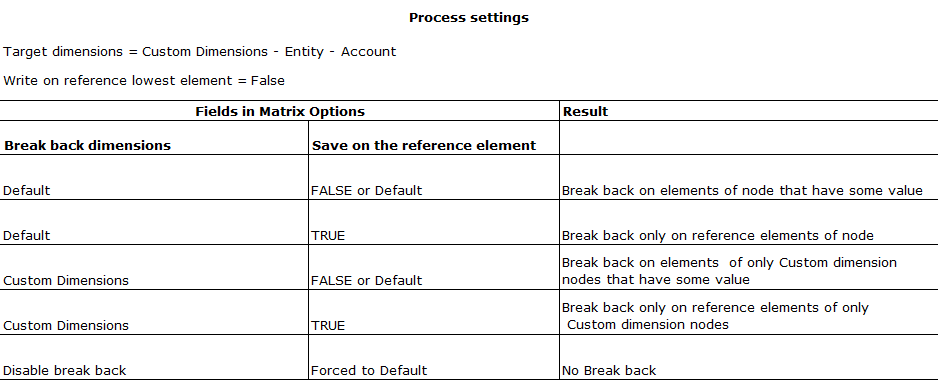
Use cases for the Break Back function
Break back can be useful in contexts such as the following:
The user wants to enter data for the 2014 forecast revenue on a form with the following characteristics:
- the form manages a Products custom dimension.
- the hierarchy of the Products custom dimension contains the Software node, which groups Operating Systems, Antivirus products and Hard Disk products
- in the form, revenue is detailed by product, e.g. Operating Systems, Antivirus products and Hard Disks.
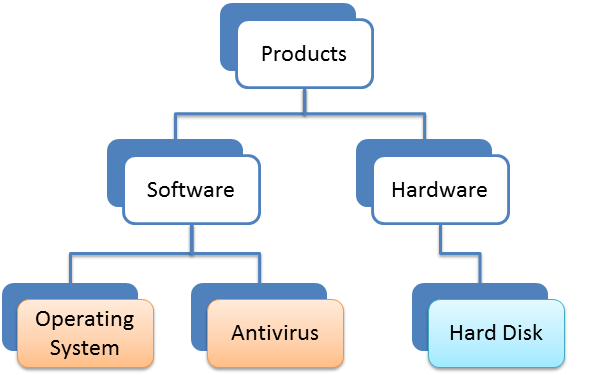
By default, in a data entry form, the amount of the Software node corresponds to the sum of the Operating Systems and Antivirus amounts.
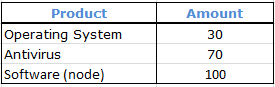
Enabling break back on custom dimensions allows you to enter data on the Software node instead of calculating it as the sum of the child elements. In this way, the Software cell in the form becomes editable and the entered amount is distributed on a proportional basis among the products included in Software.
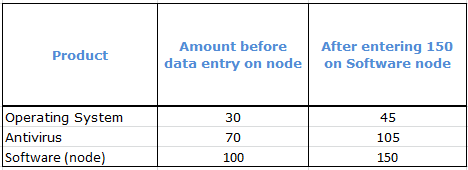
Example: the Always write on reference element option
By activating the Always write on reference element break back option, the system systematically saves the value entered at the node level on the reference element.
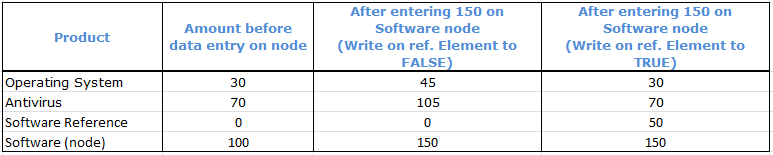
Case 1:
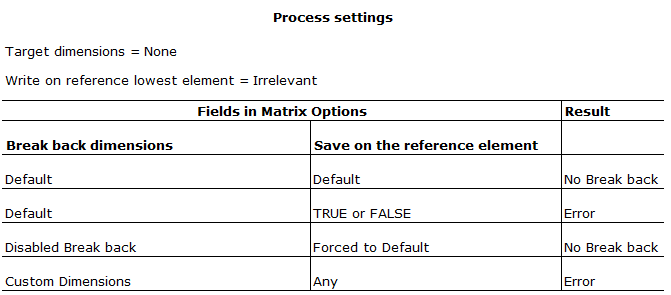
Case 2
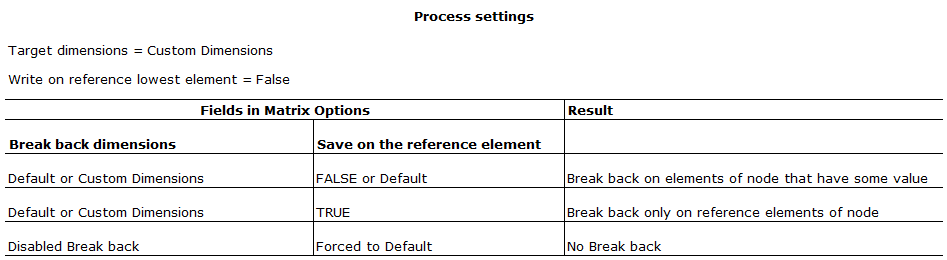
Case 3
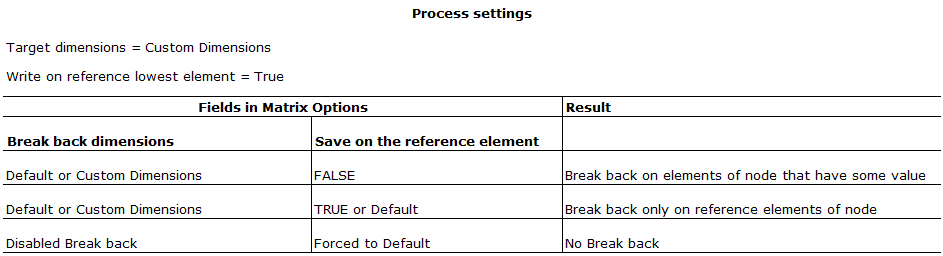
Case 4