Data processing by Job
Machine Learning data processings are also configurable, launchable and scheduled via Job.
In order to be able to configure and directly launch or schedule the launch of a Machine Learning data processing via Job, one must: as a precondition:
-
Have uploaded a model as in the Upload of a Install a Model
-
Have configured Advanced Analytics, Train and/or Execute type, as described in the Machine Learning Advanced Analytics section.
-
Finally, one must have created a Train Label and completed the mapping of fields, as highlighted in the sections 'Train Label' and 'Advanced Analytics - Fields mappings' also in Advanced Analytics.
ML Training and ML Execute from Job
After having added an ML Train and/or Execute task to the graph of a previously created Job, as described in the "Define Job" section under Job, and having defined all the necessary parameters(ML Training and ML Execute tasks), you can run or schedule a Job by clicking on the Review and Launch button from the read-only view of its graph, and finally click on Launch or Schedule, depending on the operation you wish to run.
After running the Job for Train and/or Execute data processing or having scheduled it and waited for it to start at the scheduled time and day, you can view the details of the finished Job in the Audit window.
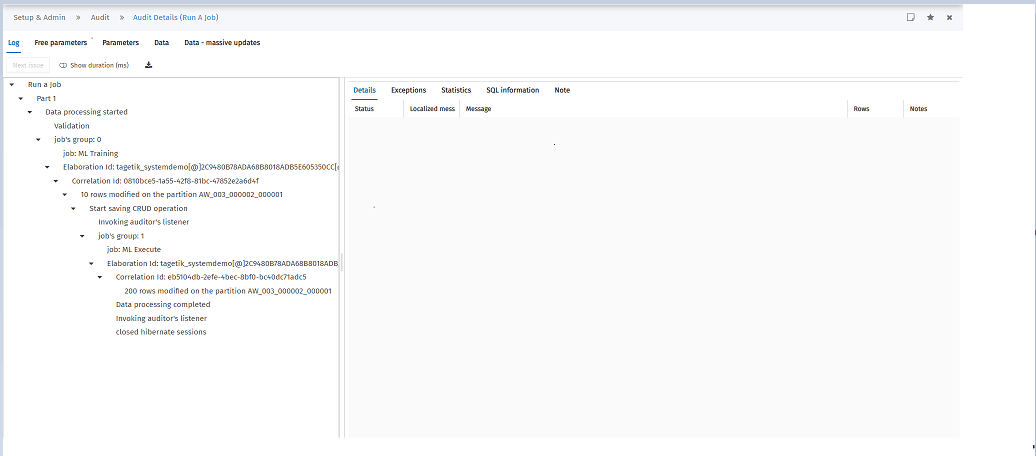
If the Machine Learning model, used in the configuration of Advanced Analytics, selected in the definition of task parameters within the Job, is a model with parameters, it is possible to view the parameters read at runtime by clicking on the 'Free parameters' tab in the Audit details relating to the Job:
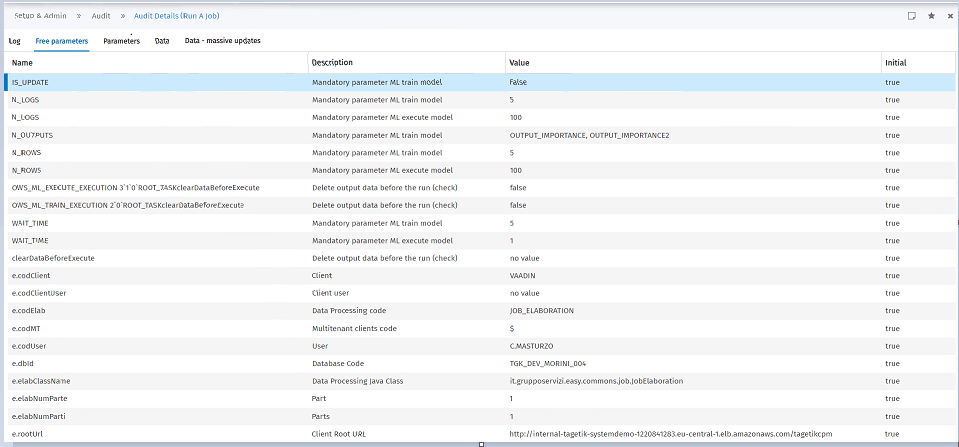
- If the parameters of the model are set in Advanced Analytics and the current value of the parameters is not empty, they are correctly displayed in the 'Free parameters' tab in the Audit Job details.
- If the model parameters are set in Advanced Analytics and the current value of the parameters is empty, they are correctly displayed and have 'no value' as Value in the 'Free parameters' tab in the Audit details for the Job.
- If the model parameters are not set in Advanced Analytics (they were never displayed and set in the 'Model parameters' window), the default values contained in the model's descriptor.json are shown in the 'Free parameters' tab in the Audit details for the Job.
 If the values of the model parameters are empty (empty value in the descriptor.json of the model) and are not set in Advanced Analytics (they have never been displayed and set in the 'Model parameters' window), the Job fails and an 'Impossible to retrieve the runtime parameters of the model’ error message is displayed after the run. Try adding a default value.
Warning: If two or more Machine Learning data processings have been added to the same Job and have the same values of one or more parameters of the model, only one row for that parameter or those parameters with the common value is shown in the 'Free parameters' tab in the Audit details for the Job.