Dynamics AX Connector window
 Admin
Admin
Setup & Admin > ETL > Jobs > AX 2012 Connector Wizard
Setup & Admin > ETL > Jobs > AX 2012 R2 Connector Wizard
Navigation panel > ETL > Jobs > AX 2012 Connector Wizard.
Navigation panel > ETL > Jobs > AX 2012 Connector Wizard.

IMPORTANT: the window can be accessed by editing a job or creating a new one.
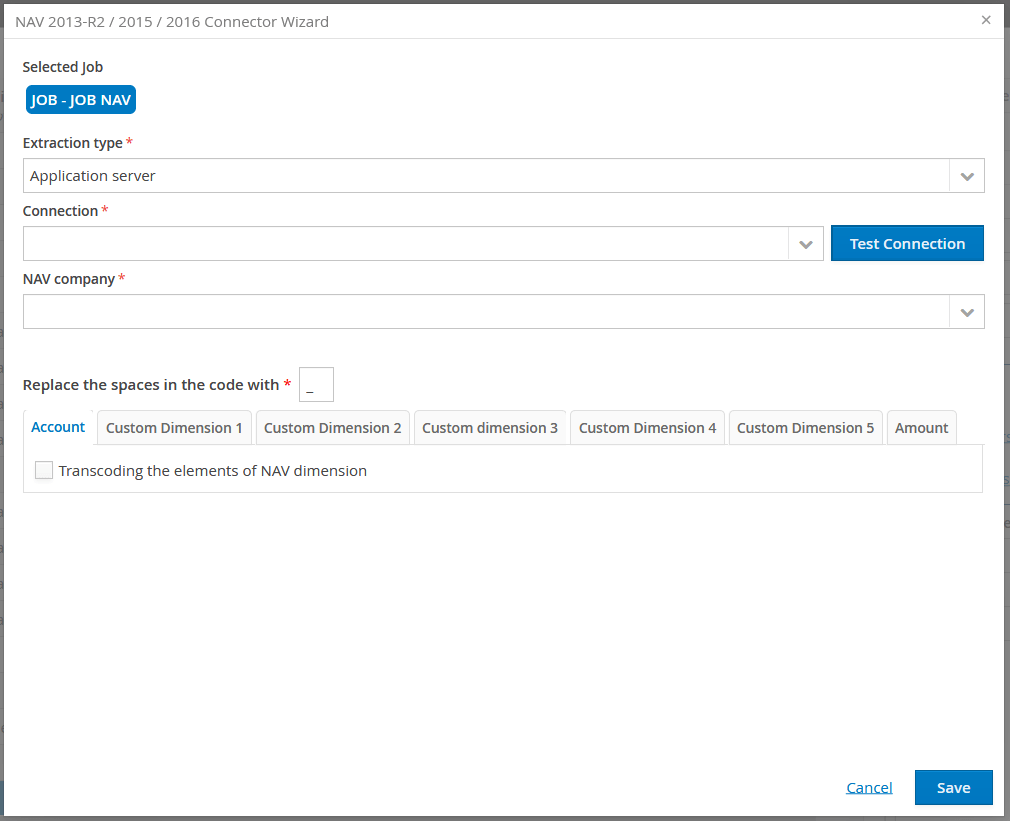
Purpose of the page
This window allows you to create an ETL domain to import data from Dynamics AX. The created ETL will be made up of two routines:
- Tables routine: allows you to populate both the account table and the Tagetik custom dimension tables
- General accounting data routines
The system will also generate any necessary lookup tables, based on the choices made by the user, who can run the generated ETL at any time using the usual Tagetik procedures.
Configuration fields
| Field | Description |
|---|---|
| Extraction type | Defines the data source. The following options are available: - Application server: if the queries to be run are located on the CCH® Tagetik application server. - Endpoint/Tagetik Data Loader: if the queries to be run are located on an Endpoint or the Tagetik Software S.r.l.. Note: Any Endpoint/Tagetik Data Loader on which the data to be extracted is located must be specified in the field of the same name. |
| Connection | IMPORTANT: only visible and editable if the extraction type is from Application server. Allows you to view all the secondary connections configured on the application server. |
| Partition | Active field only present for the Dynamics AX 2012 R version |
Account tab
This tab allows you to define the relationship between the elements of the Tagetik Account dimension table and the Dynamics AX account dimension.
| Element | Description |
|---|---|
| Chart of accounts | filter which allows you to include only the elements of the AX account dimension related to the applied filter. if the filter is not applied, the system will include the whole table of AX accounts. |
| Transcoding the elements of AX dimension | defines the type of relationship between the elements of the Company dimension defined in the AX data and the elements of Tagetik’s Entity dimension. if selected: it automatically creates the lookup table between the elements of the Tagetik account dimension and the elements of the AX account dimension in the generated ETL domain. The user can then define the relationship between the elements. If not selected: it indicates that the elements of the Tagetik account dimension have the same identification code as the elements of the AX account dimension. |
Custom dimensions tab
| Element | Description |
|---|---|
| Default element | in Dynamics AX, you can omit information for a certain dimension in registering accounting data. This means that, for a certain row of accounting records, there may be no information related to the dimension that you want to import into Tagetik. In Tagetik, this is not allowed: if a custom dimension is managed, that information will always be defined in the actual data. Therefore, you must define a default element for the custom dimension being considered, which will be used when the source element in the row originating from AX is NULL. This default element can be set as a fixed value, using the search function, or by selecting the Automatic by Entity option. |
| Automatic | - Indicates that the default element must be calculated automatically by the system when data are imported from AX. In Tagetik, a default element for each managed custom dimension is defined for every element of the Entity dimension. This option tells the system to define the custom dimension as the Entity’s default element, if the value is NULL in the AX data. |
| Related to AX dimension | by default, the custom dimension being considered has no relationship with Dynamics AX. In this case, in Tagetik the custom dimension will always be defined as the default element. However, if this option is selected, it indicates that the custom dimension being considered must be related to a Dynamics AX dimension. In this case, the user must define the following two fields |
| AX Dimension | the user must choose the AX dimension to which the custom dimension being considered corresponds. The system presents a list of the dimensions available in the client’s Dynamics AX environment. |
| Transcoding the elements of AX dimension | if selected, it indicates that you must define a lookup table between the elements of the Tagetik custom dimension and the elements of the selected AX dimension. The system will automatically create the lookup table in the generated ETL domain. The user can then go on to define the relationship between the elements using Tagetik’s normal ETL tools. Otherwise, if not selected, it indicates that the elements of the Tagetik custom dimension have the same identification code as the elements of the selected AX dimension. |
Amount tab
| Field | Description |
|---|---|
| Transcoding the elements of AX dimension | defines the type of relationship between the elements of the Company defined in the AX data and the elements of Tagetik’s Entity dimension. - If selected, it indicates that a lookup table between the two dimensions is necessary. The system will automatically create that rule and the user must subsequently specify the existing relationships between the elements. - if not selected, the elements of the two dimensions in the two environments will have the same IDs. Note: this is common when the Entity table in Tagetik has been populated previously and its elements have the same codes as those present in AX. |
| Only standard allocations | if the option is selected, the system will only include data related to the standard AX allocations; otherwise, all the General Ledger data will be will be included. |
| Category | CCH Tagetik Category dimension code assigned to all rows imported from AX. |
| IC management | enables automatic management for IC transactions also. Dynamics AX: does not provide for the native management of InterCompany transactions. Note: it is best practice to define a custom AX dimension whose elements are used to specify the IC Companies: in this case, the connector can manage InterCompany transactions automatically. |
| AX Dimension | only enabled if the IC Management option is selected. This is the AX dimension adopted by the client for the management of IC transactions. |
| Transcoding the elements of AX dimension | only enabled if the IC Management option is selected. In Tagetik, InterCompany entities are the same as in the Entity table. Therefore, to avoid defining the same lookup tables twice (it is likely that the elements of the custom dimension dedicated to IC transactions have been defined with the same codes as used by the AX Companies), the system adopts the same rule defined for the AX Company. Select the option when you need to define a lookup table between the elements of the AX dimension specified by the user and Tagetik’s IC elements. |