Closing entries clean-up
Tagetik provides the user with a delete function which allows deleting the content of the tables used by the allocations & closing module.
This utility can be accessed from the administrator user web interface by following the path Setup & Admin > Data processing tile > Data Clean Up > Closing entries
Navbar > Data processing > Data Clean Up > Closing entries
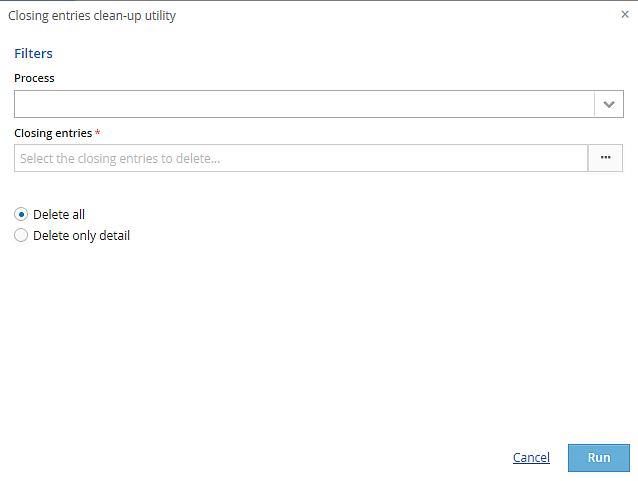
The user can specify:
- the Process in order to filter the data to delete. They can choose among all the process with at least on active and unlocked scenario / period on which the user has edit rights
-
the Closing entries; it is possible to select the entity journals generated by the Allocation & Closing data processing and then filter them by:
-
Scenario belonging to the process, on which the user has edit rights
- period belonging to the process, on which the user has edit rights
- Journal number in order to delete only specific journals
- Entity belonging to the process hierarchy
- Routine routine on which the user has edit rights
-
Note
-
Delete all. The system deletes the detail entries present in the "Entries details" table and data present in the data tables related to the selected entries
-
Delete only detail. The system deletes only the detail entries present in the "Entries details" table
After selecting the desired deletion type, click Run to proceed.
 The deletion is irreversible therefore, before clicking the "Run" button, be sure you want to proceed with the purge.