Tagetik Data Loader - overview
Tagetik Data Loader (hereinafter "TDL") is a client that allows data to be transferred from/to CCH Tagetik to/from other systems. Data can be displayed as files of database records.
TDL is designed to be installed on-premise on the customer's network where the data is stored (private network or cloud) in order to enable data transfer via CCH Tagetik's ETL or QDL module (installed on-premise or on the cloud).
TDL allows you to select the desired transfer protocol (HTTP or HTTPS). In the case of secure data transfer (via HTTPS), TDL allows communication to take place without the customer having to create an exception in the company firewall.
Thus, Tagetik Data Loader can operate in four different types of environment (for each type of environment, TDL can transfer data in both protected mode (HTTPS) and unencrypted mode (HTTP)):
- Tagetik on-premise, TDL on-premise;
- Tagetik on-premise, TDL on cloud;
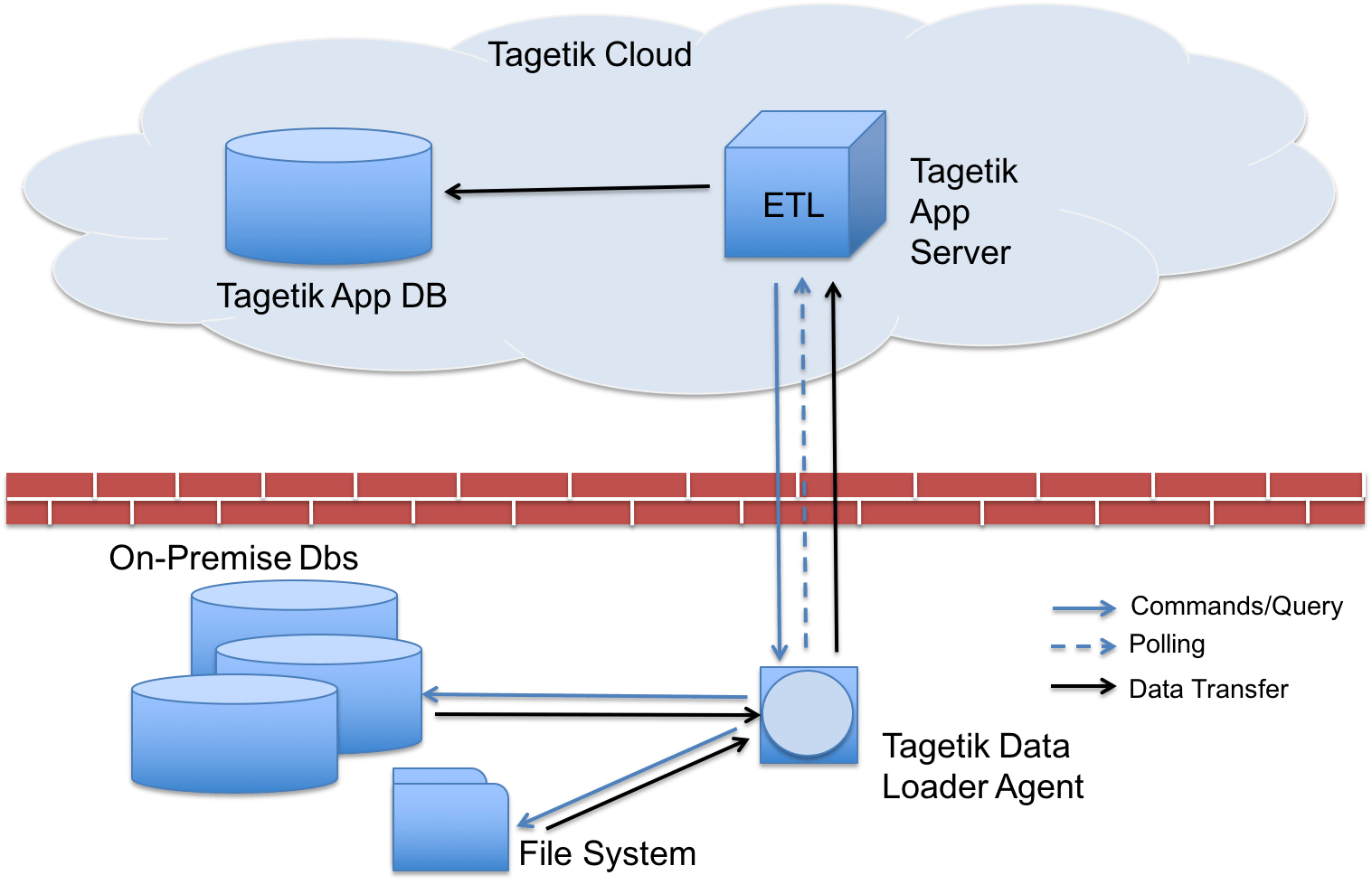
- Tagetik Cloud, TDL on-premise;
- Tagetik Cloud, TDL on cloud.
The following diagram refers to case 3.
The installation and configuration of Tagetik Data Loader involves:
- the installation and configuration of Tagetik Data Loader. Install the Tagetik Data Loader, configure it (connection to CCH Tagetik, logs), set up database connections, configure file transfer paths.
- registration and monitoring of Tagetik Data Loader on CCH Tagetik. Register, monitor and manage Tagetik Data Loader on CCH Tagetik.
- the configuration of Endpoints on CCH Tagetik. Enable data integration functional modules (ETL, QDL, ...) to transfer data to and from CCH Tagetik using the Tagetik Data Loader.